
Partner Upload Portal
The one flow in this product with two actors. The importer requests documents; the PARTNER — someone with no account and no training — receives a link, drops files on a page, and is told immediately whether what they sent is usable. No login, deliberately. Partners already carry ten to twenty customer portals, and the documented failure is that communication falls back to email the moment a portal feels optional — an account is exactly what makes it optional. The link is the whole authentication story, which is defensible only because of how little sits behind it: see what you owe, upload against it, nothing else. The step that justifies the feature is instant-verdict. Telling a partner their certificate expired last August WHILE THE FOLDER IS STILL OPEN collapses a multi-day round trip into one sitting, and is the single thing this page does that an email cannot.
Who: Compliance staff (manager role), then the partner’s contact — no account · Regulation: None directly. Collecting and verifying supplier records supports 21 CFR 1.506 for FSVP-entitled orgs, but document collection is a generic capability of the foundation product.
Get the partner’s upload link so it can be pasted into a message you write yourself
Section titled “Get the partner’s upload link so it can be pasted into a message you write yourself”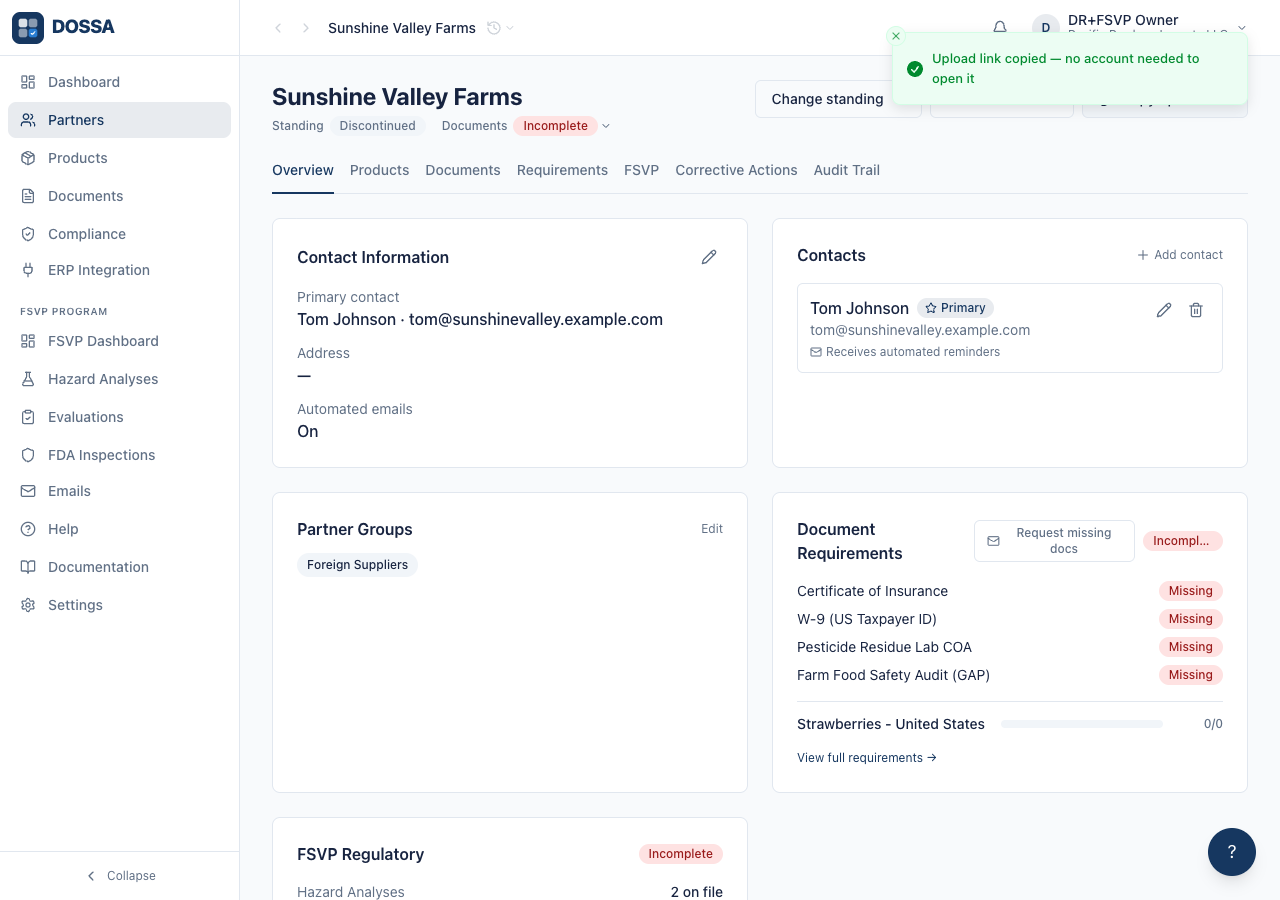
What you should see: The link is available on demand rather than only inside the emails the product sends. Plenty of chasing happens outside the product — a reply in an existing thread, a message to somebody the importer actually knows — and a link only our automation can produce is a link that only works when our automation is driving.
Ask the partner for what is missing, with a link they can act on
Section titled “Ask the partner for what is missing, with a link they can act on”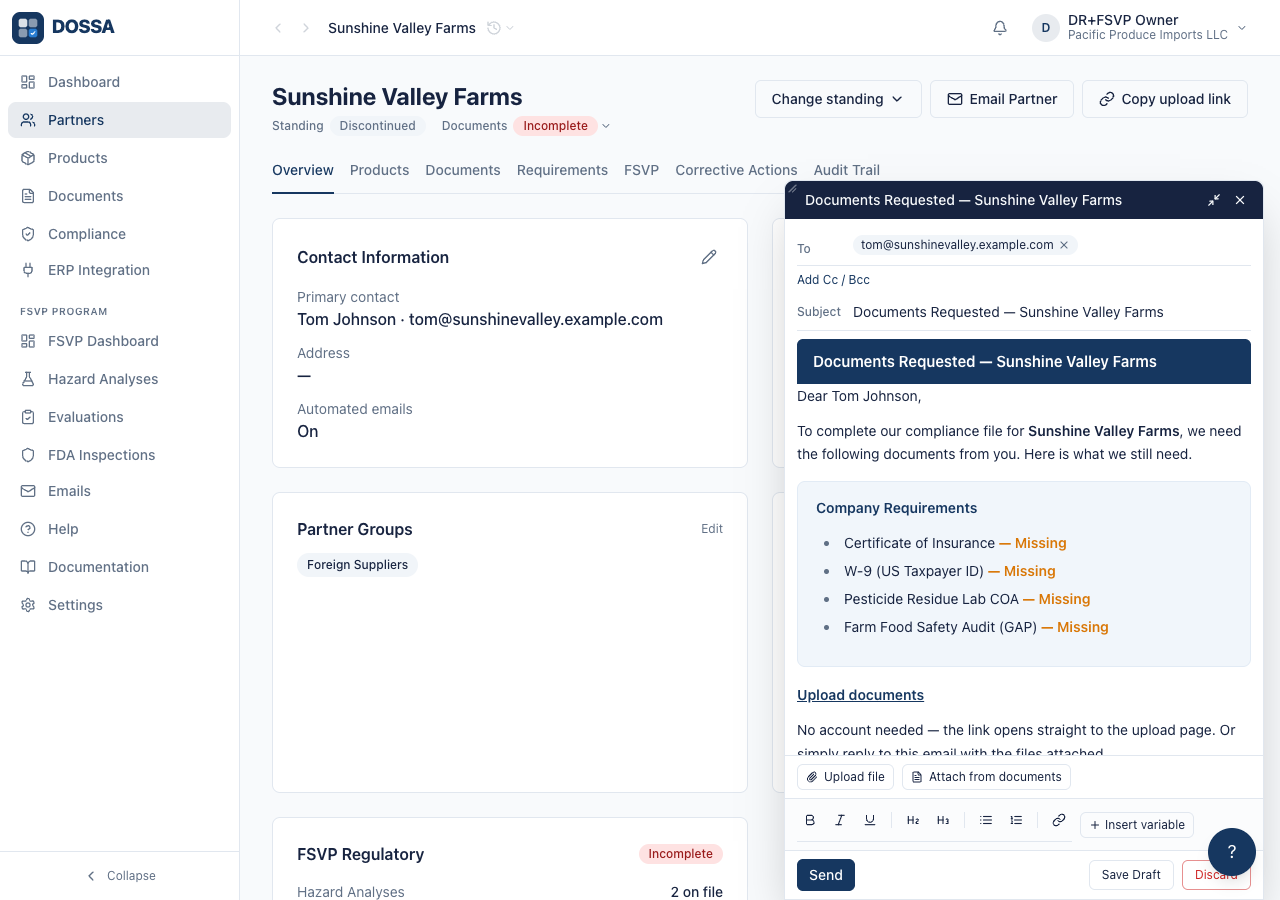
What you should see: A draft, not a send. The importer reviews it and sends when ready. Before this existed the same email carried a button pointing at the app root — a login page the recipient has no account for — so their only real option was to reply with attachments and let staff do the filing.
ACTOR CHANGES: the partner opens the link, with no account and no session
Section titled “ACTOR CHANGES: the partner opens the link, with no account and no session”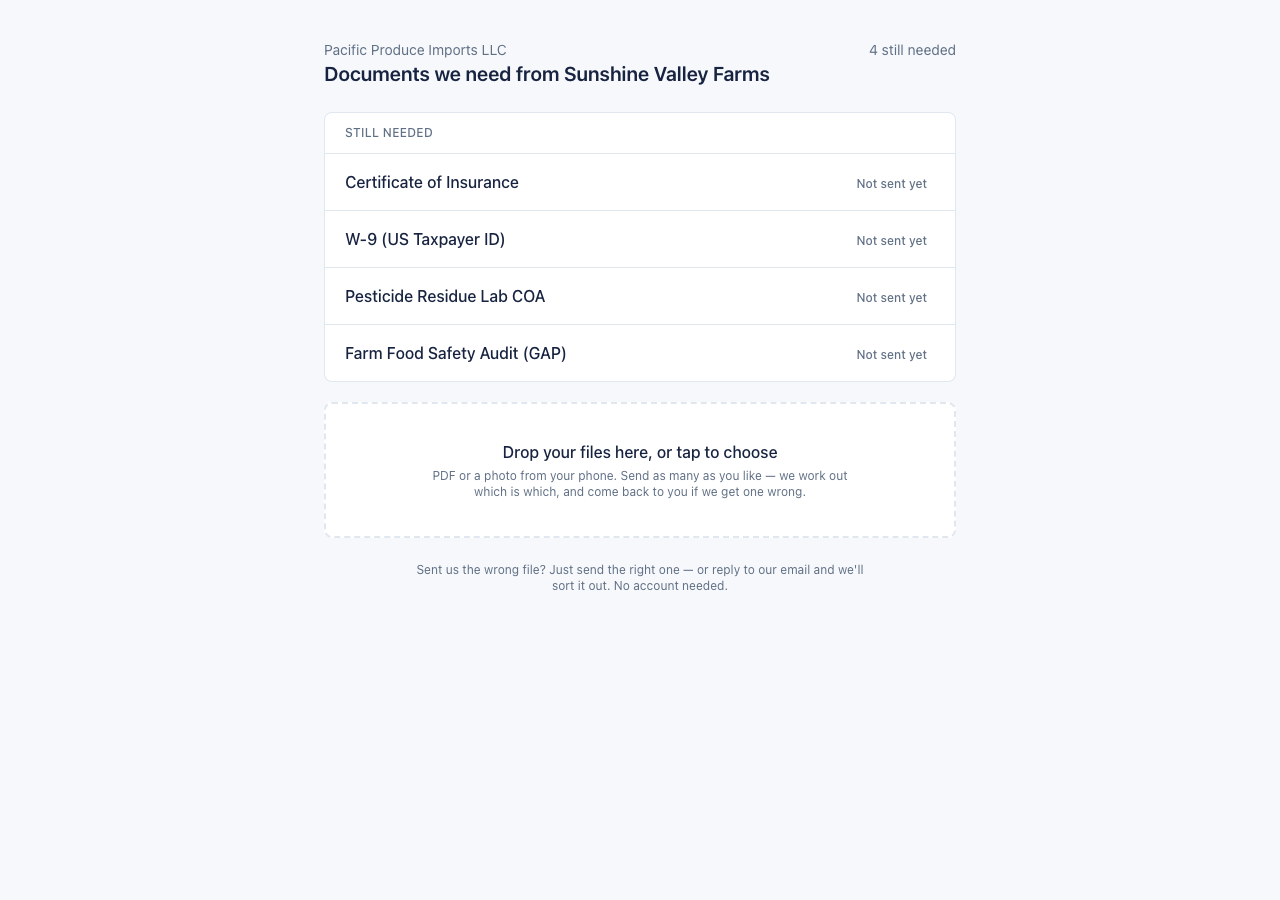
What you should see: A single-column page that works on a phone — most recipients open this in a packing house, not at a desk. One drop zone for everything rather than one per requirement: deciding which slot a file belongs in is what the AI is for, and getting it wrong is the commonest way a well-meant upload becomes useless. Three framed sections, one per state: still needed, being checked, already on file. The frame is what says “everything in here is X” — without it the three shuffled into one list and a reader had to work out which was which from the wording on each row. On a phone, a send bar appears once the drop zone scrolls out of view, because at eight outstanding items the only control on the page is already below the fold.
The partner drops a file and is told what happened to it
Section titled “The partner drops a file and is told what happened to it”What you should see: The answer arrives while the folder is still open, which is the whole reason this beats an email — that round trip otherwise takes days, by which time the partner has moved on. Nothing here blames or dead-ends. A wrong document type is not an error: it is filed correctly and the page still says what is missing. There is no send step and no remove: a supplier who sent the wrong file sends the right one, which the footer says in as many words.
ACTOR CHANGES BACK: the importer finds the upload waiting and verifies it
Section titled “ACTOR CHANGES BACK: the importer finds the upload waiting and verifies it”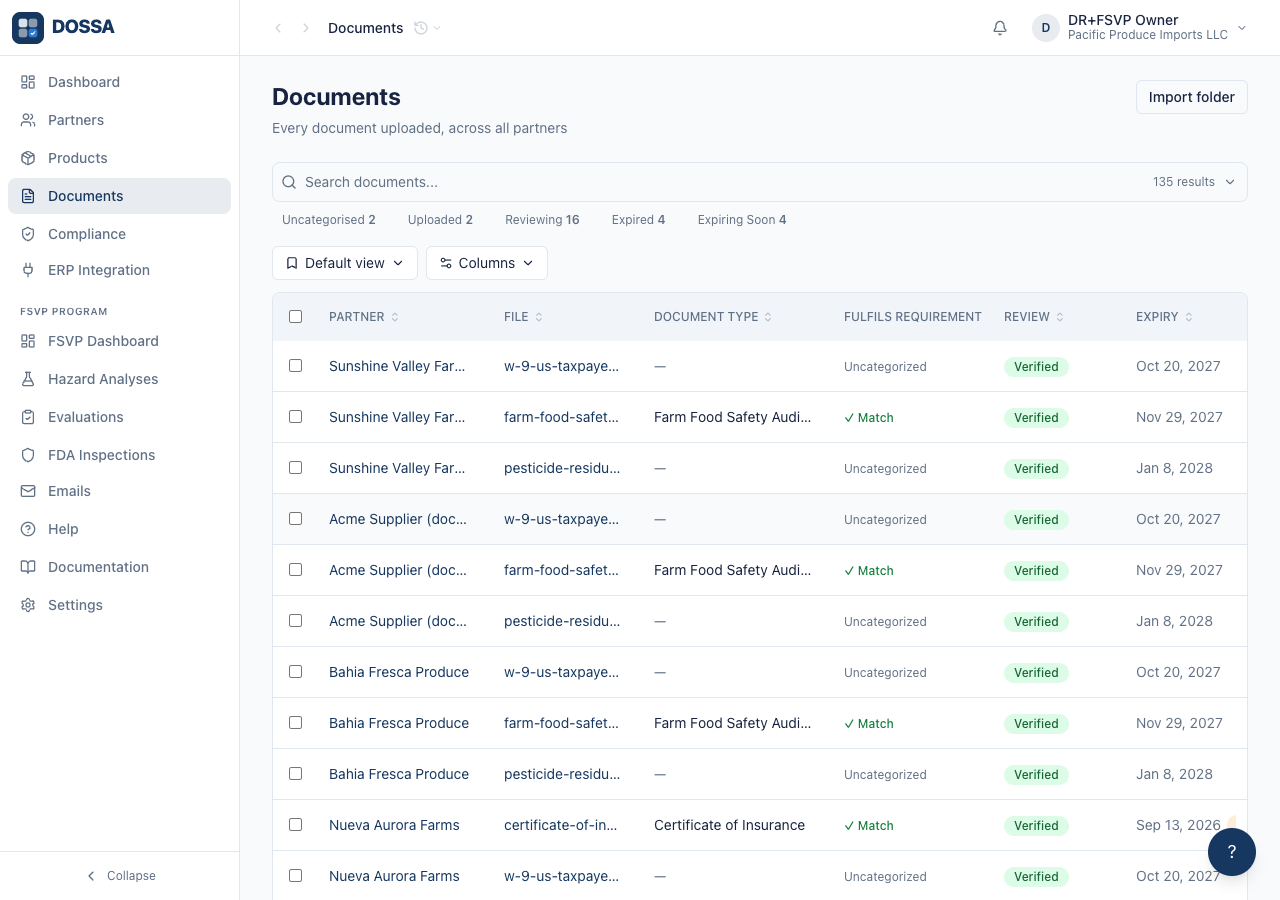
What you should see: The importer’s remaining job is the verification act itself — a QI accepting the document under 21 CFR 1.506 — which regulation requires be human. Everything that was removed was clerical: downloading an attachment, logging in, uploading it again, and filing it.