
Automated Reminders Setup
Owner / Compliance Manager workflow for switching on the reminders that chase partners before their documents expire, and for excluding a partner who should not be contacted automatically. The point of this workflow is the PREVIEW. Reminders go out in the customer’s own name to their own business contacts, so the decision to enable one cannot be made from a description of the rule — it is made from the list of partners it would reach. Every rule ships OFF, every rule produces a draft rather than a send, and one switch pauses all of them without losing their settings. Read alongside document-management: reminders are how the Expiring Soon queue empties without anyone chasing it by hand.
Who: Owner / Compliance Manager · Regulation: None directly. Keeping supplier verification records current maps to 21 CFR 1.506(c) “monitor” obligations for FSVP-entitled orgs, but the reminders themselves are a generic compliance-ops capability usable by any DR-only org.
Open the Reminders settings tab and read the shipped state
Section titled “Open the Reminders settings tab and read the shipped state”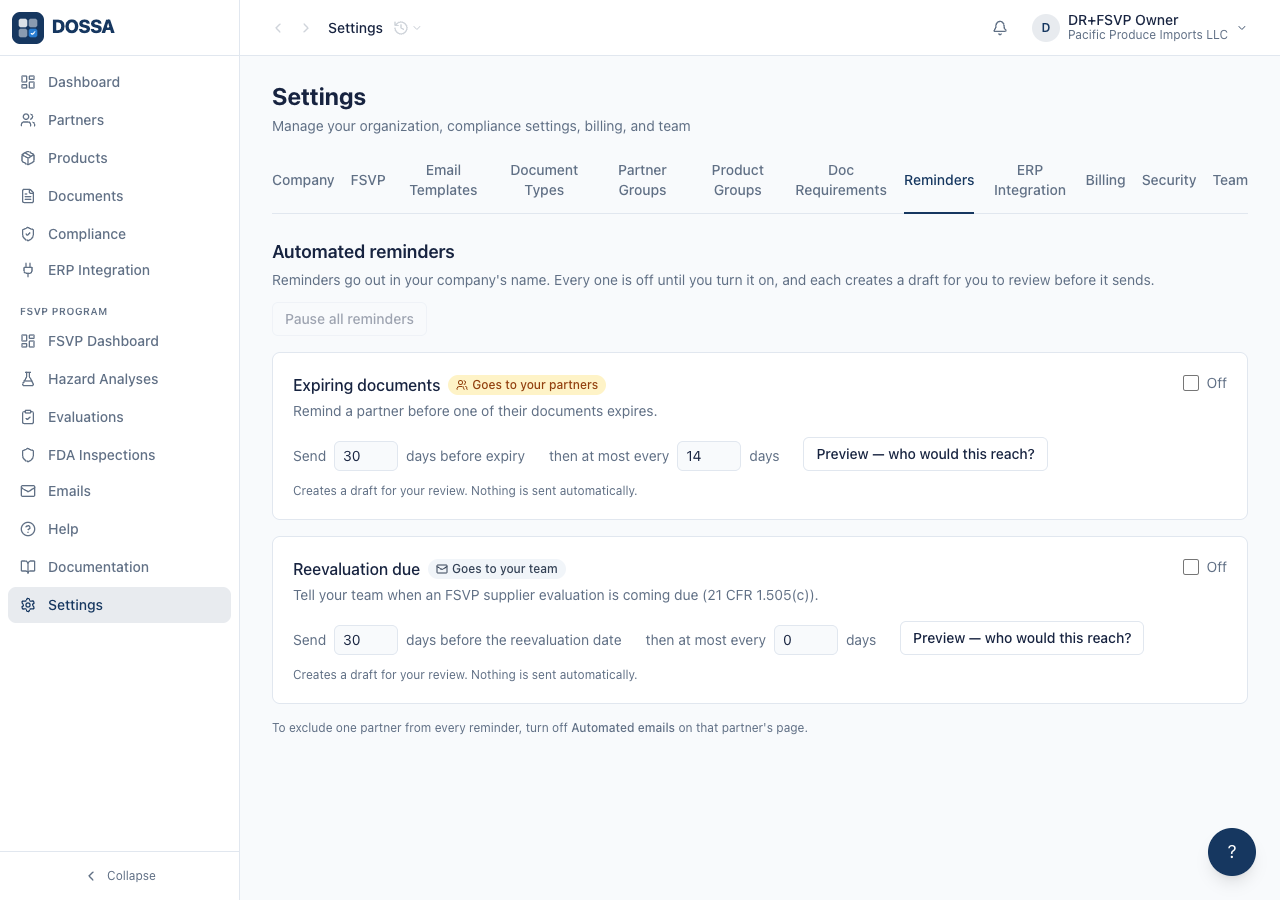
What you should see: The tab lists one card per reminder the org is entitled to. Everything is off. The line under each card reads “Creates a draft for your review. Nothing is sent automatically.” — the worst case from turning a rule on is drafts appearing in the Emails page.
Find out who the reminder would actually reach, before switching anything on
Section titled “Find out who the reminder would actually reach, before switching anything on”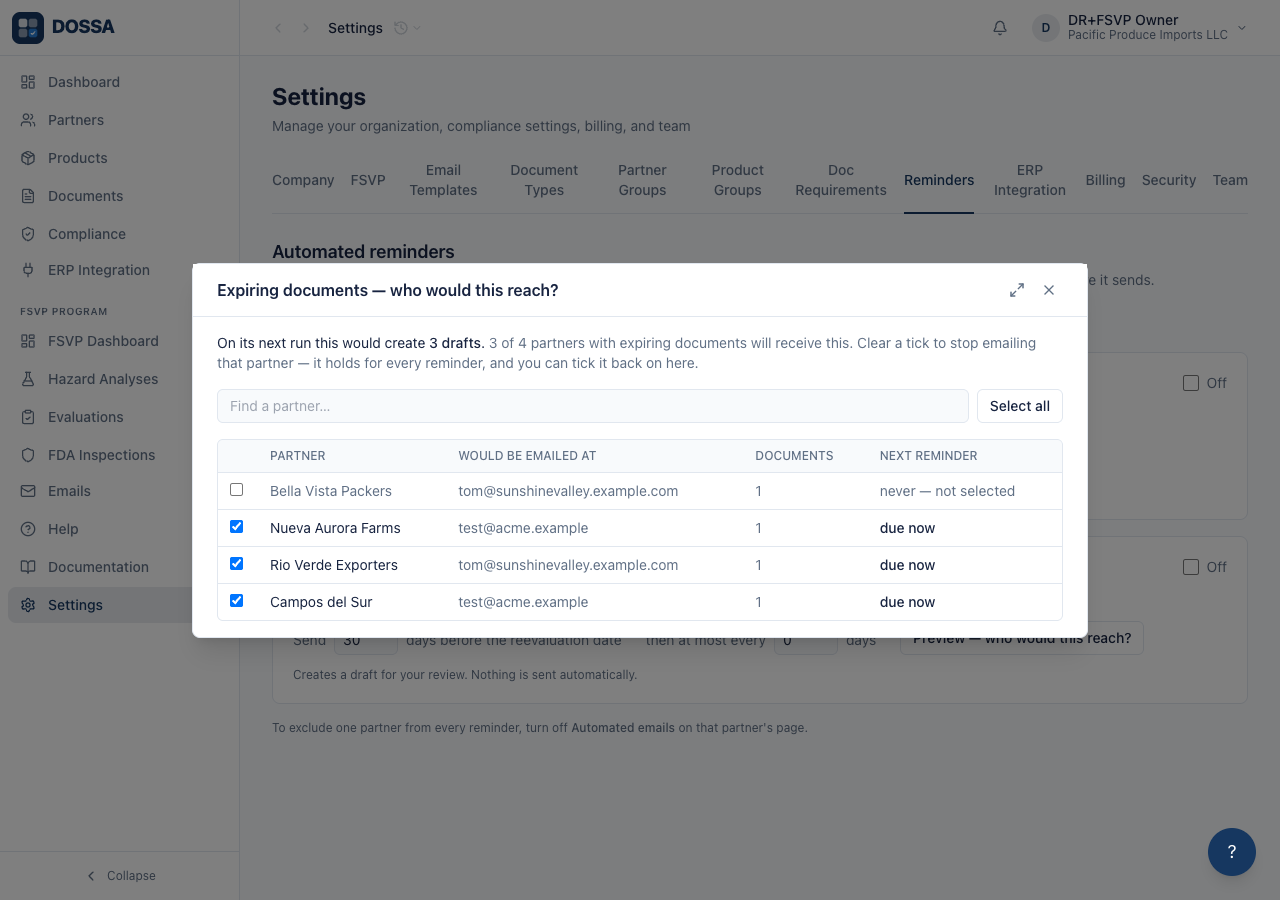
What you should see: The concrete list of who this reaches, by name, before committing to anything. A partner covered by the rule but not yet due appears with its next reminder date rather than being omitted — a reminder due in three weeks is the difference between a rule that is configured correctly and waiting, and one that will never fire. If any partner has no contact email the dialog says so and links to the “No contact email” filter on Partners, because a partner nobody can email is a compliance gap wearing the appearance of an ordinary row.
See how to exclude one partner from every automated reminder
Section titled “See how to exclude one partner from every automated reminder”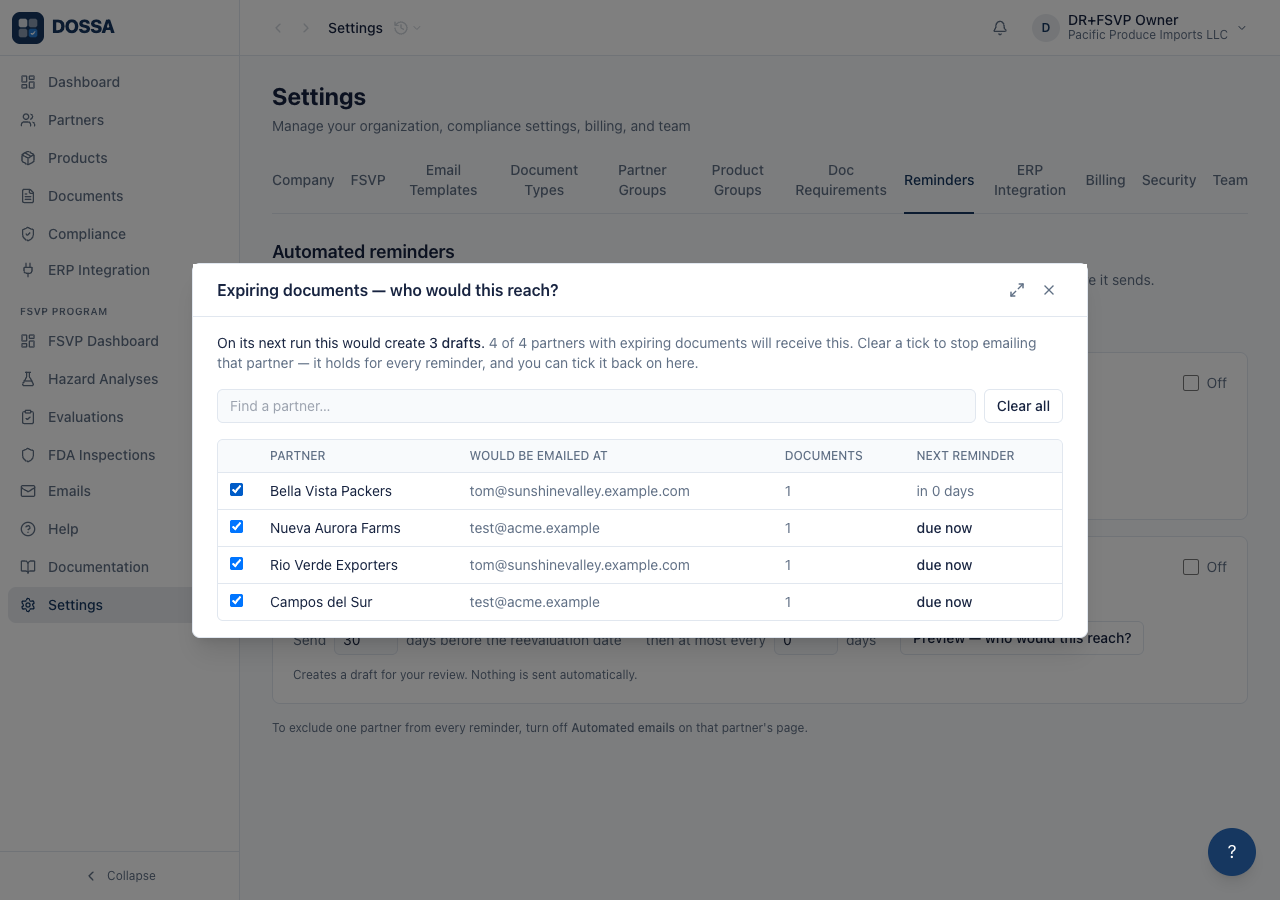
What you should see: Clearing a tick excludes that partner from THIS rule and every future one: it flips the “Automated emails” switch on the partner itself — the same one on their own page — rather than recording a per-run exclusion, which would have nowhere to live between runs. The row STAYS on the list, cleared, reading “never — not selected”, so the decision can be undone here; it used to vanish, which left the only screen that could reverse it unable to show it. To put a partner back on the list, tick them again — here, or on their own page. Nothing about the exclusion is hidden from the screen that can reverse it.
Turn the reminder on and set its timing
Section titled “Turn the reminder on and set its timing”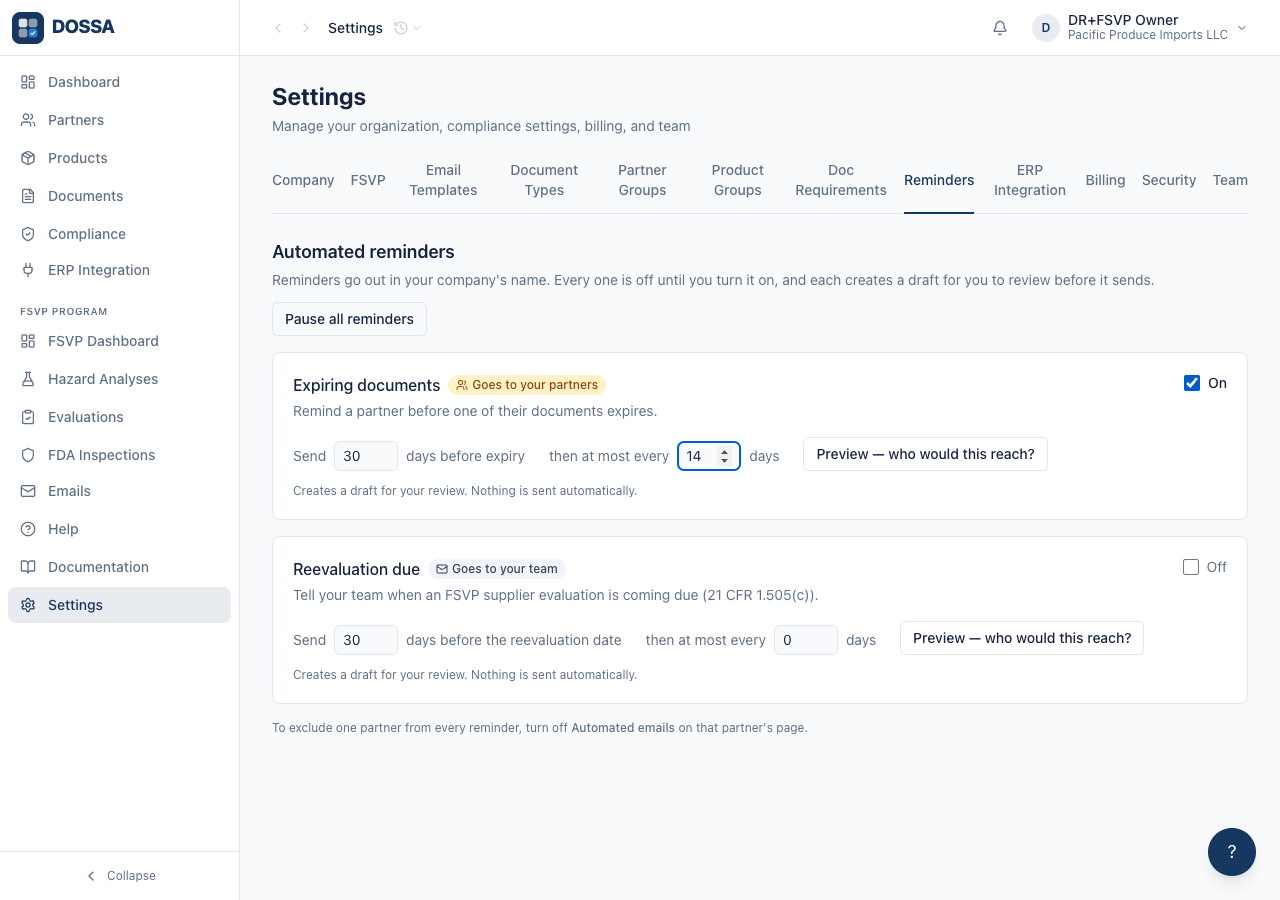
What you should see: The rule is on and will produce drafts at the next daily run. Nothing has been sent. Guards the user never sees are now active: one email per partner listing all their expiring documents rather than one per document, a ceiling on how many a single run may produce, and an idempotency key so a re-run or redeploy cannot duplicate.
Silence every reminder at once without losing what was configured
Section titled “Silence every reminder at once without losing what was configured”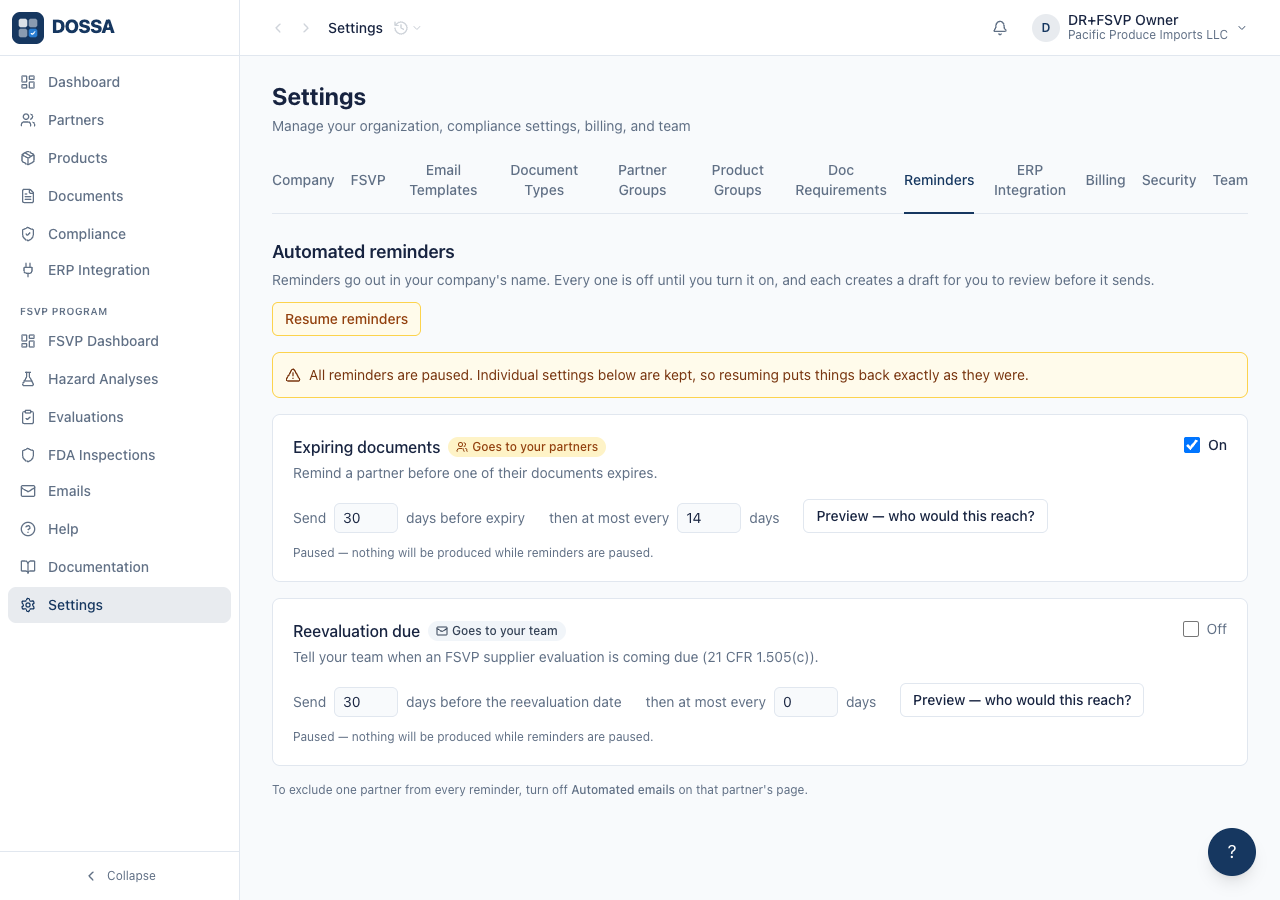
What you should see: Nothing will be produced while paused, whatever any individual rule says. The settings are intact, so resuming is one click rather than a setup exercise — a kill switch that costs the user their configuration is one they hesitate to use, which defeats the point of having it.
Resume, and switch the rule back off
Section titled “Resume, and switch the rule back off”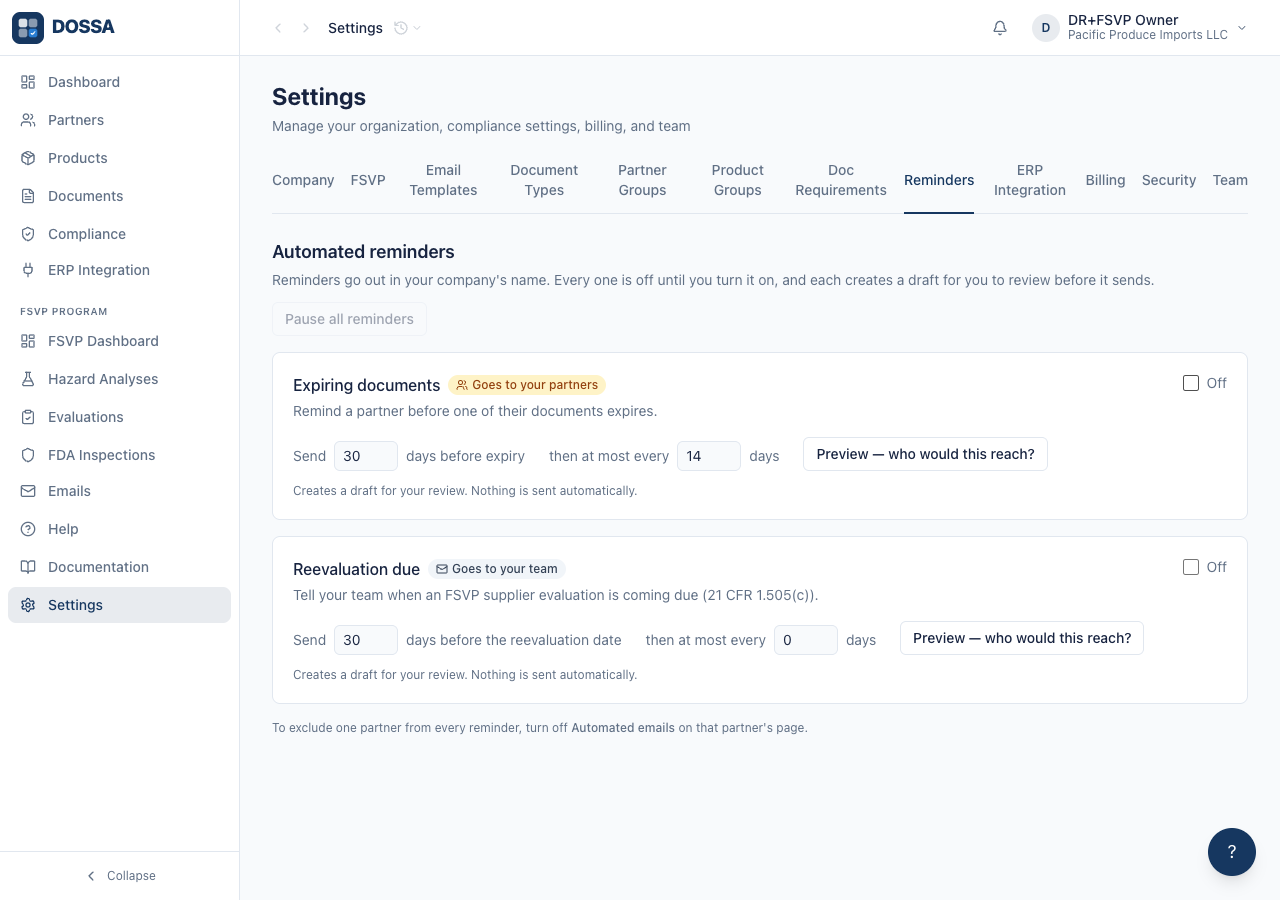
What you should see: The org is back to the state the workflow started from. This step exists because the audit RE-RUNS. Without it the second run clicked an already-on toggle, turned the rule off, and reported a regression against a product that was working perfectly — a failure indistinguishable from a real one, against a feature whose whole point is that it never surprises anyone. A workflow that only passes the first time is not an audit.