
Map an ERP Feed to Partners and Products
The customer’s ERP already knows what they buy and sell. This is how that becomes compliance data without anyone retyping it — and without the feed inventing entities nobody chose. TWO ONE-WAY STREETS. The ERP pushes order lines in, and pulls compliance verdicts back out — so a purchase order can be blocked before it is raised, which is where 21 CFR 1.506 actually bites. DOSSA never connects to the customer’s system in either direction and holds no credential of theirs (ADR-024). Two mapping tables, and one rule: nothing an ERP sends becomes a DOSSA partner or product until a person says what it is. An org that typed in forty partners by hand would otherwise end up with eighty, spelled two ways, each owing its own copy of the same documents. Both tables KEEP their rows. A queue that drains hides the answer to “what is Naturipe Farms wired to?” the moment somebody answers it, and leaves a mis-match unfixable without a database. Every row shows what it points at and can be re-decided. What is NOT decided: the supply. A line naming a mapped vendor and a mapped product is the ERP stating that this partner ships this thing — an observed fact, not a naming decision — so it is derived Asking about it would be asking a user to confirm their own data.
Who: Compliance Manager, after the exporter has run at least once · Regulation: None directly. Under 21 CFR 1.504-1.506 each supplier is verified separately, which is why an ERP product maps to one catalog thing while obligations attach per supplier — but the ingestion itself is a generic capability of the foundation product.
Find where the recurring mapping work lives
Section titled “Find where the recurring mapping work lives”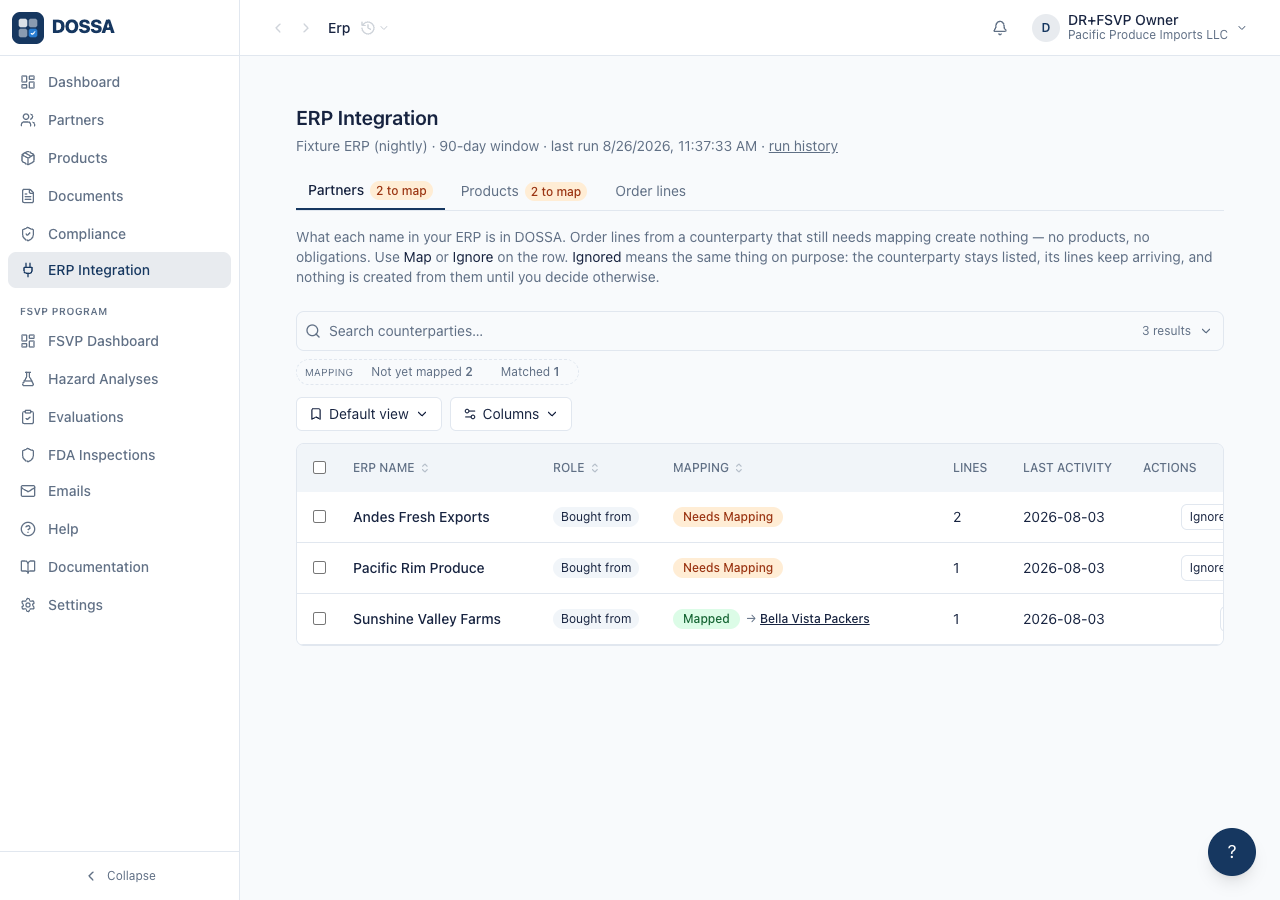
What you should see: ERP Integration opens on the Partners tab, showing the source name, its window length and when it last ran, plus a link to the run history in Settings. Tabs are Partners, Products and Order lines; a count on a tab is what is UNMAPPED, not the row total, because the tables keep every row and a total would say nothing about whether there is anything to do. If the last run failed — or started and never finished — a red banner says so with the error, because a broken feed and a quiet week are indistinguishable from the mapping tables.
Say what one ERP counterparty is in DOSSA
Section titled “Say what one ERP counterparty is in DOSSA”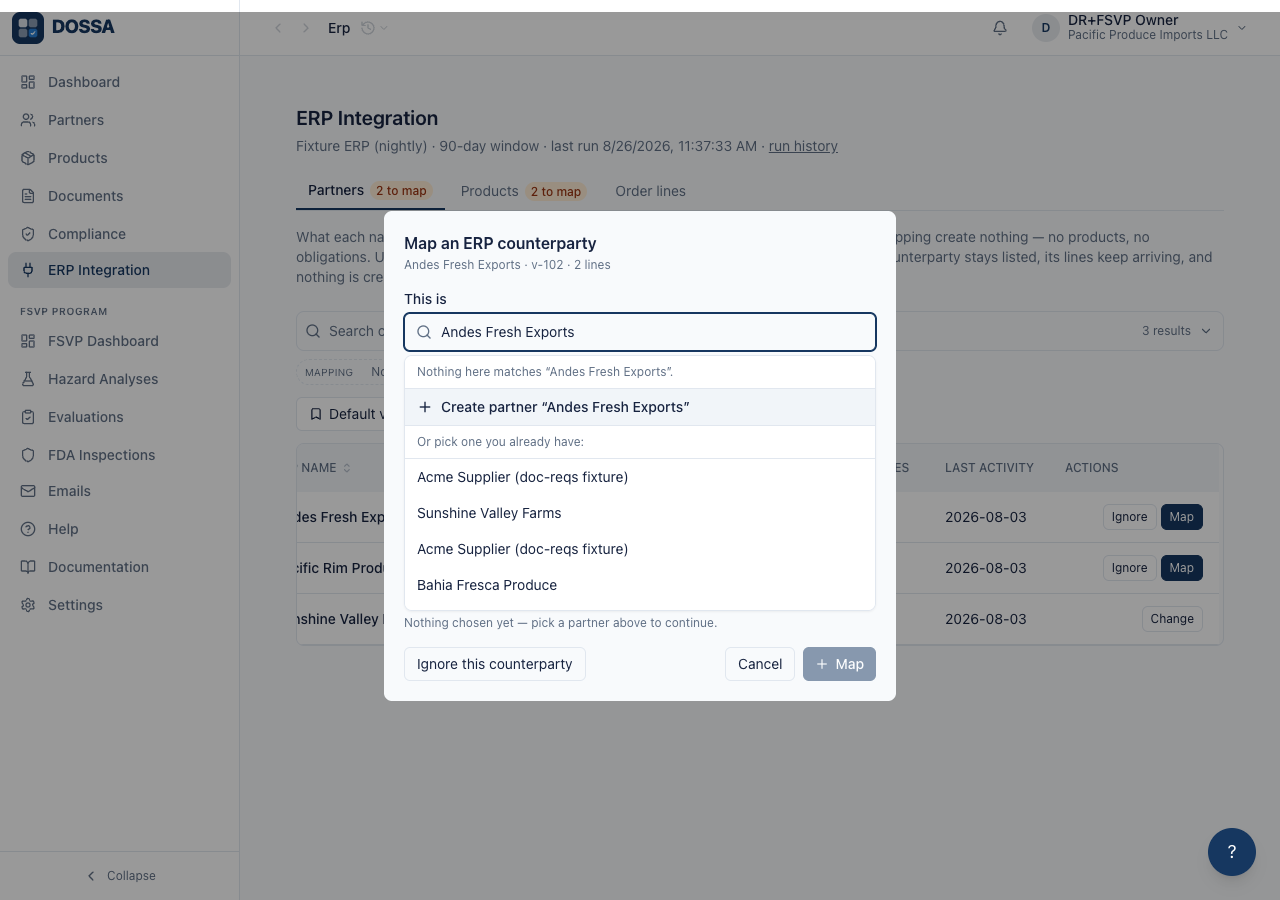
What you should see: One question — “what is this?” — answered by TYPING. The field opens pre-filled with the ERP’s own spelling and narrows as you type; if nothing in the list is right, the same field offers “Create
Say what one ERP product is, independently of who supplies it
Section titled “Say what one ERP product is, independently of who supplies it”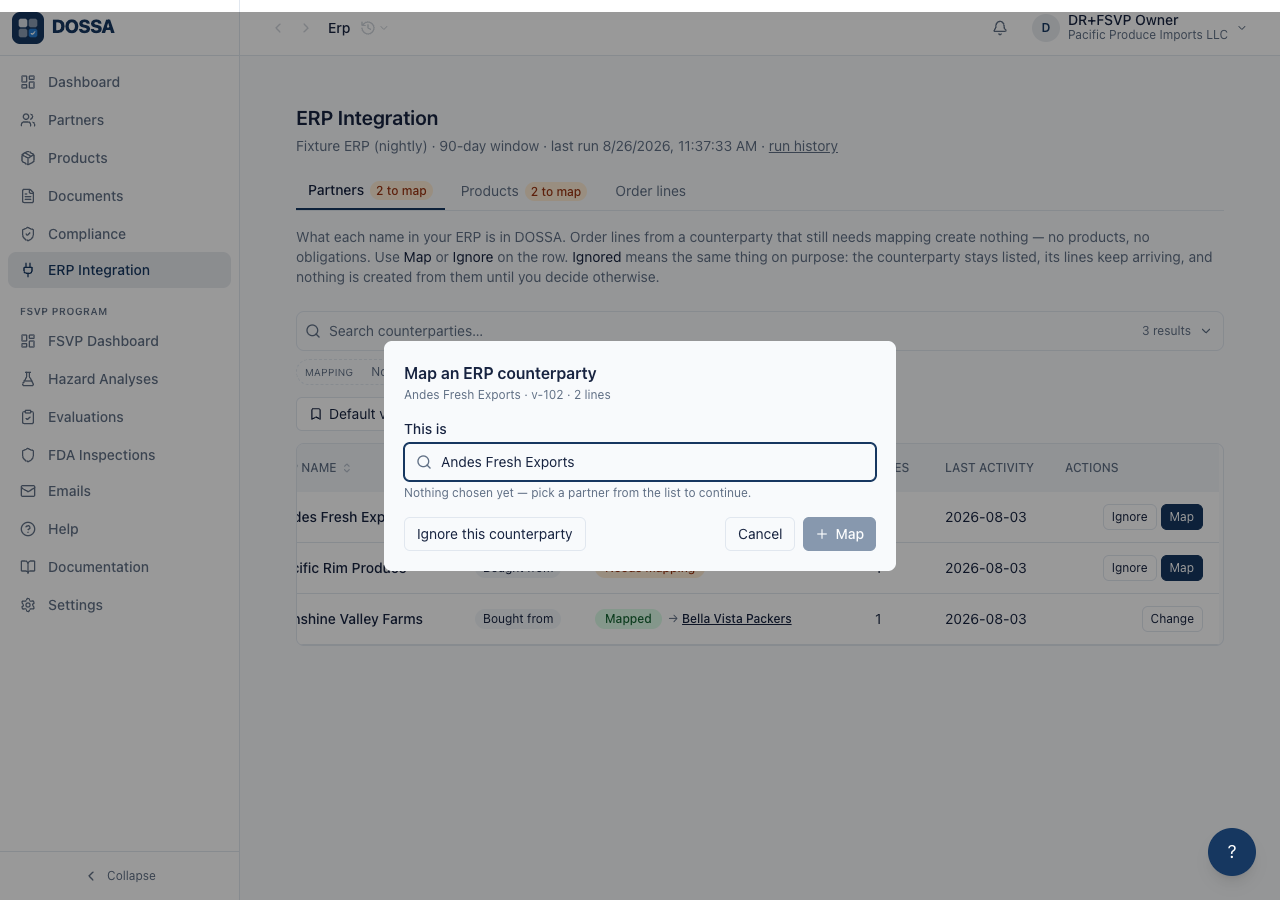
What you should see: One row per ERP product, however many partners ship it — a “Supplied by” column names them as context. Asking per (vendor, product) would ask the same question once per supplier and allow one thing four different answers. The dialog matches against the WHOLE catalog, not one partner’s rows, which is what stops five suppliers of one commodity spelling it five ways. Where the ERP name resembles something already tracked, the row offers it as a one-click match — a hand-entered “Blueberries (Berry) - Canada” against an ERP “Blueberries - Canada” is one click, not two product rows. Creating uses YOUR name, not the ERP’s: the field arrives stripped of a leading [CODE], because the source’s key lives in the mapping rather than inside the name. PRODUCT GROUPS ARE EDITABLE ON A MATCH, not only on a create. The ERP name is often the only place a qualifier was ever written down — “[BLUE_ORG] Blueberries Organic - Chile” — and a match that could not carry it would silently drop the group the documents hang off. The hint says whose they are: they belong to the PRODUCT, so changing them changes what every partner supplying it must send. And the matcher will not merge ACROSS groups. Where the ERP name claims a group the chosen product is not in, an amber warning names both and states the consequence — “the documents that group asks for will not be required of these order lines” — offering the group as a tick if they really are the same thing. Organic and conventional arrive as two lines of one feed and are two different obligations; a matcher that helpfully collapsed them would quietly stop asking for the organic certificate. No supplier is needed first. What a thing IS does not depend on who sells it, and the supply appears on its own once both ends are known. Undoing a mapping that had CREATED a product deletes that product too, provided nothing has come to depend on it — otherwise undoing the decision leaves the thing the decision made, and the catalog fills with orphans nobody chose.
Check what the feed actually contains, mapped or not
Section titled “Check what the feed actually contains, mapped or not”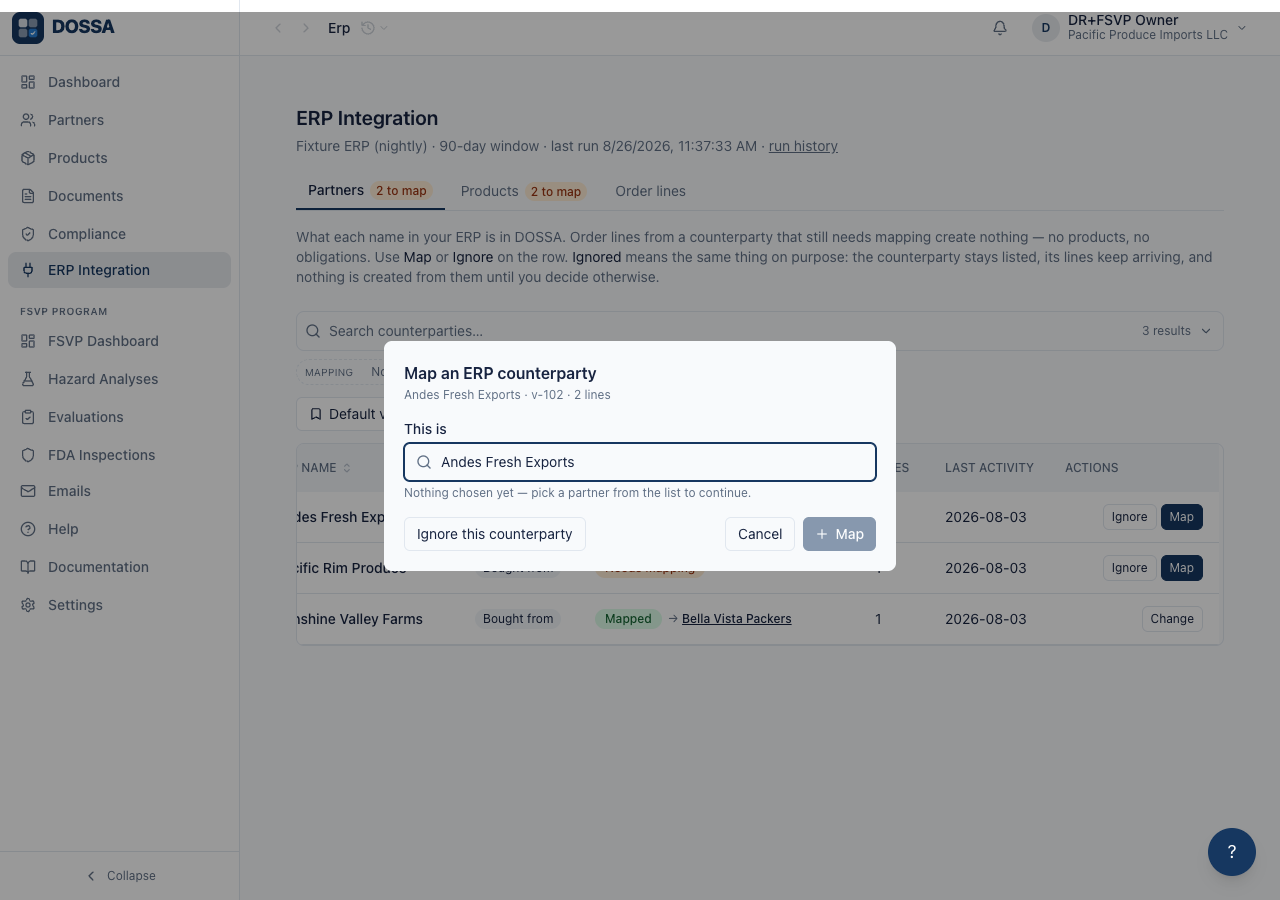
What you should see: Every purchase AND sales line in the window, in one grid with a Type column. Nothing here is a decision — it is the evidence behind the two mapping tables — so there are no row actions. Counterparty and Product carry a “(not mapped)” or ”(→ Name)” tag, and filters narrow to either kind of gap. Unmapped lines are listed on purpose: they are what shows the mapping is incomplete. Reference numbers are real columns, derived from the keys the source actually sends (erp_po, erp_so, customer_po, vendor_po) rather than a list the platform maintains. Search, filters, grouping, column picking and saved views work as on every other grid. Sorting is done by the DATABASE, over the whole window rather than the page on screen — the list runs to thousands of lines, and a sort applied to twenty-five of them is a different list wearing the right order (ADR-023). The reference columns are the exception and are deliberately not sortable: they are read out of each line’s own JSON in the browser, so there is no column to order by, and a header that reordered nothing would be worse than no header. Cancelled orders are not listed and are not counted as unmapped — a cancelled line is not a purchase, and leaving it in the queue asks somebody to name a supplier for a thing that never shipped.
Find the key and the run history an exporter author needs
Section titled “Find the key and the run history an exporter author needs”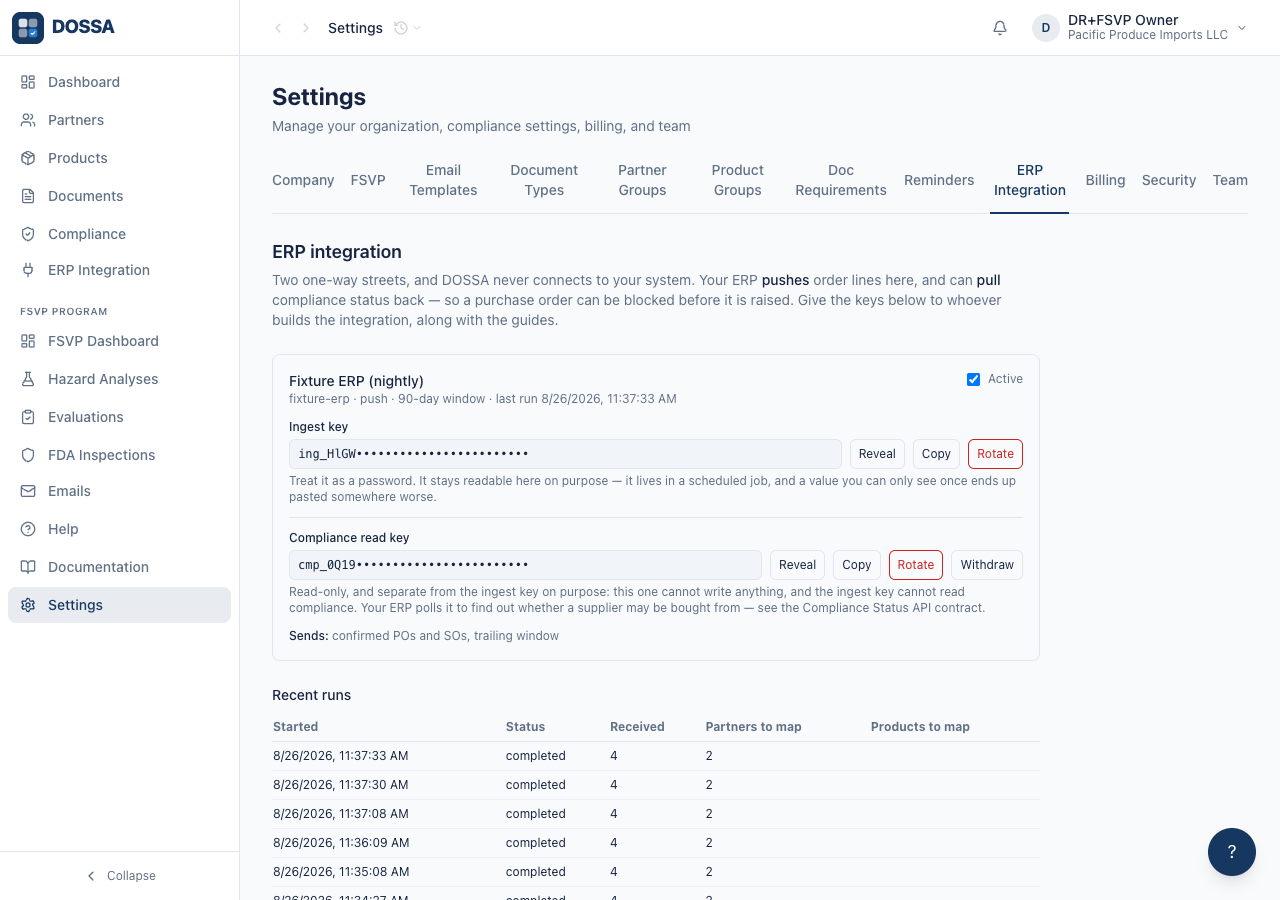
What you should see: Settings holds what someone sets up ONCE: the source, its window, what it declares it sends, BOTH keys with Reveal / Copy / Rotate, and the run history. The key stays readable on purpose — it lives in a scheduled job, and a value you can only see once ends up pasted somewhere worse. Rotating breaks the old key immediately, with no grace period, and the confirmation says so before the click. “Sends:” shows the exporter’s own filter in the customer’s words. DOSSA cannot tell “you did not buy this” from “you did not send this”, so that filter belongs on screen rather than in someone’s memory — a cancelled order simply stops arriving, and its old lines age out rather than being retired on a guess. THE SECOND KEY IS THE OTHER DIRECTION. “Compliance read key” sits directly beneath the ingest key and is not issued until somebody asks — a credential that appears by itself is one nobody decided to create. It is read-only and cannot write; the ingest key cannot read compliance. Withdrawing it stops the ERP reading status and leaves the nightly order feed running, because turning off one direction must not turn off the other. An ERP polling it gets a verdict per supplier and per (supplier, product), the reason behind any block, and a coverage count saying how many of its counterparties DOSSA cannot answer for at all — the last one because a customer switching on PO blocking would otherwise believe every order was checked while a third of their vendors were never mapped. The recurring mapping work is NOT here; a link points to ERP Integration with a count of what is still unmapped.
Let the ERP ask DOSSA whether a supplier may be bought from
Section titled “Let the ERP ask DOSSA whether a supplier may be bought from”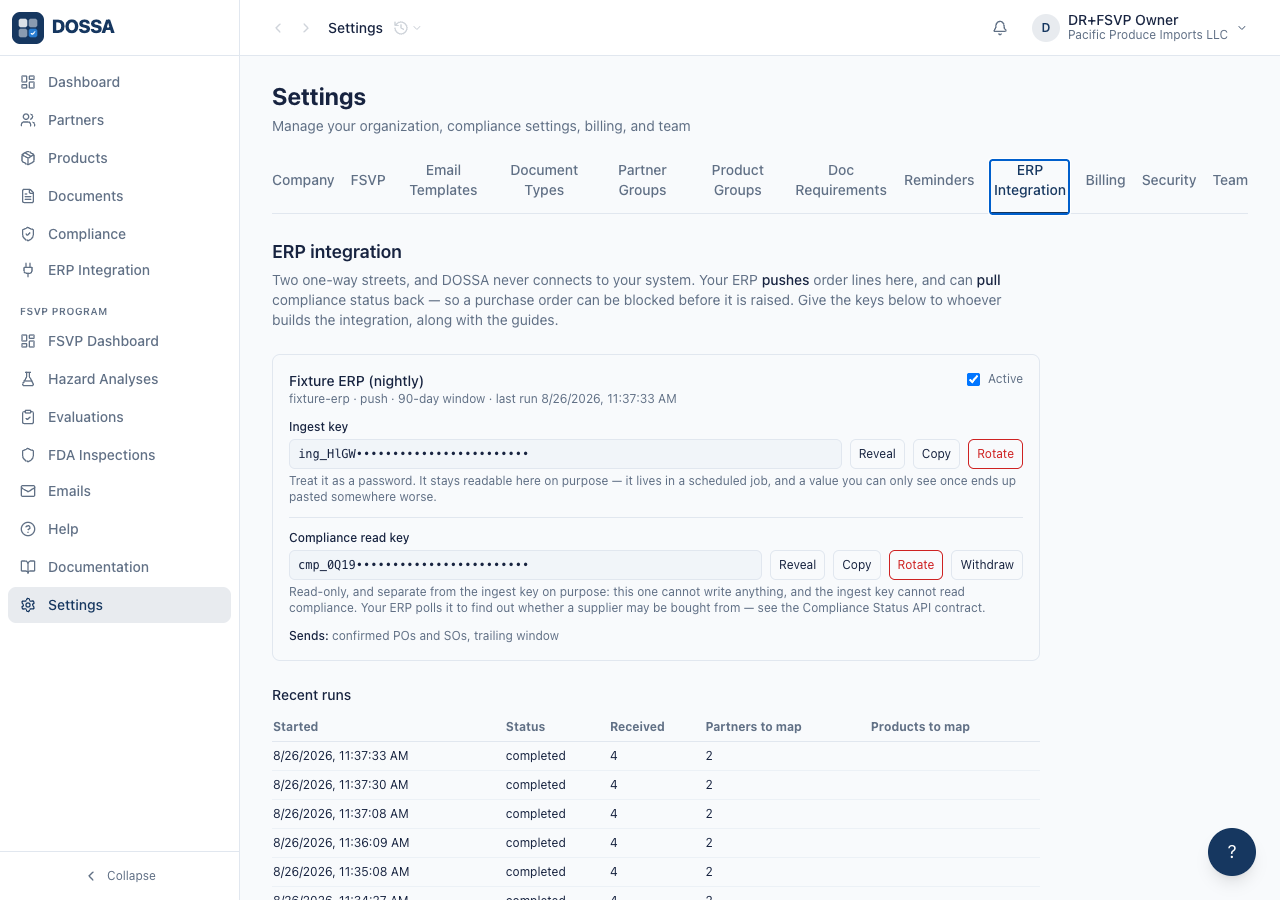
What you should see: TWO CREDENTIALS, ONE RELATIONSHIP. The ingest key writes order lines and cannot read compliance; the read key reads compliance and cannot write anything. A compromised exporter therefore does not expose the organisation’s compliance posture, and either can be withdrawn without touching the other. What the ERP gets: a verdict per supplier and per (supplier, product) — the second because a supplier can be covered for one product and not another, and a supplier-level check alone would clear the uncovered line — plus the reason behind any block, what lapses inside a window, and a coverage count. THE COVERAGE COUNT IS THE ONE TO EXPLAIN. It reports how many counterparties the feed has sent that nobody has mapped, because those are the ones DOSSA cannot answer for at all. Without it a customer switching on purchase-order blocking would believe every order was checked while a third of their vendor master was never in scope, and nothing on either side would have said so. And the verdict “not assessed” is never “approved”. A partner nobody has written requirements for is unmeasured, not compliant — treating it as approval would release a purchase order against a supplier nobody has checked.