
FDA Inspection Response (482d)
QI / food-safety-manager workflow for handling an FDA records request. Covers logging the inspection, attaching the affected partners, marking the 482d received, downloading the response package per partner (HA + Evaluation + Verification Worksheet PDFs plus supporting documents), drafting the formal response email, marking the inspection responded, and closing it with an outcome. Form 482d is a written records request issued under 21 CFR 1.510(b) — distinct from Form 483a, which records observations from an in-person inspection. Both can be logged here, but the typical FSVP scenario is the 482d records request, which the QI must respond to in writing with the documented FSVP file for each named foreign supplier.
Who: Qualified Individual (QI) / Food Safety Manager · Regulation: 21 CFR 1.510 (Records availability), Form 482d (records request)
Log the FDA inspection in the system
Section titled “Log the FDA inspection in the system”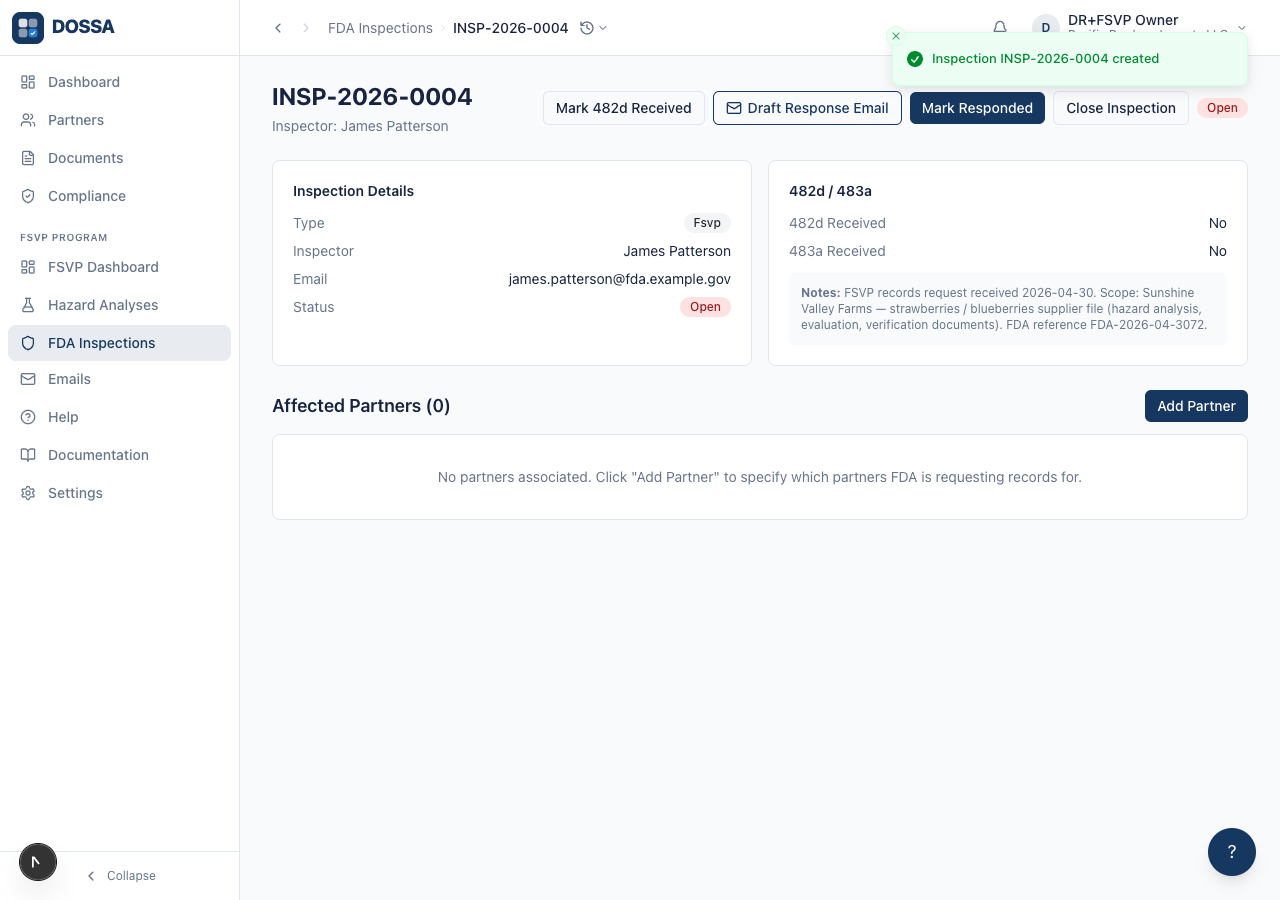
What you should see: The inspection is created with status “Open” and the page opens to its detail view. A reference number (e.g. INSP-2026-0001) is auto-assigned and used as the audit-trail anchor for the rest of this chapter.
Attach the affected partner to the inspection
Section titled “Attach the affected partner to the inspection”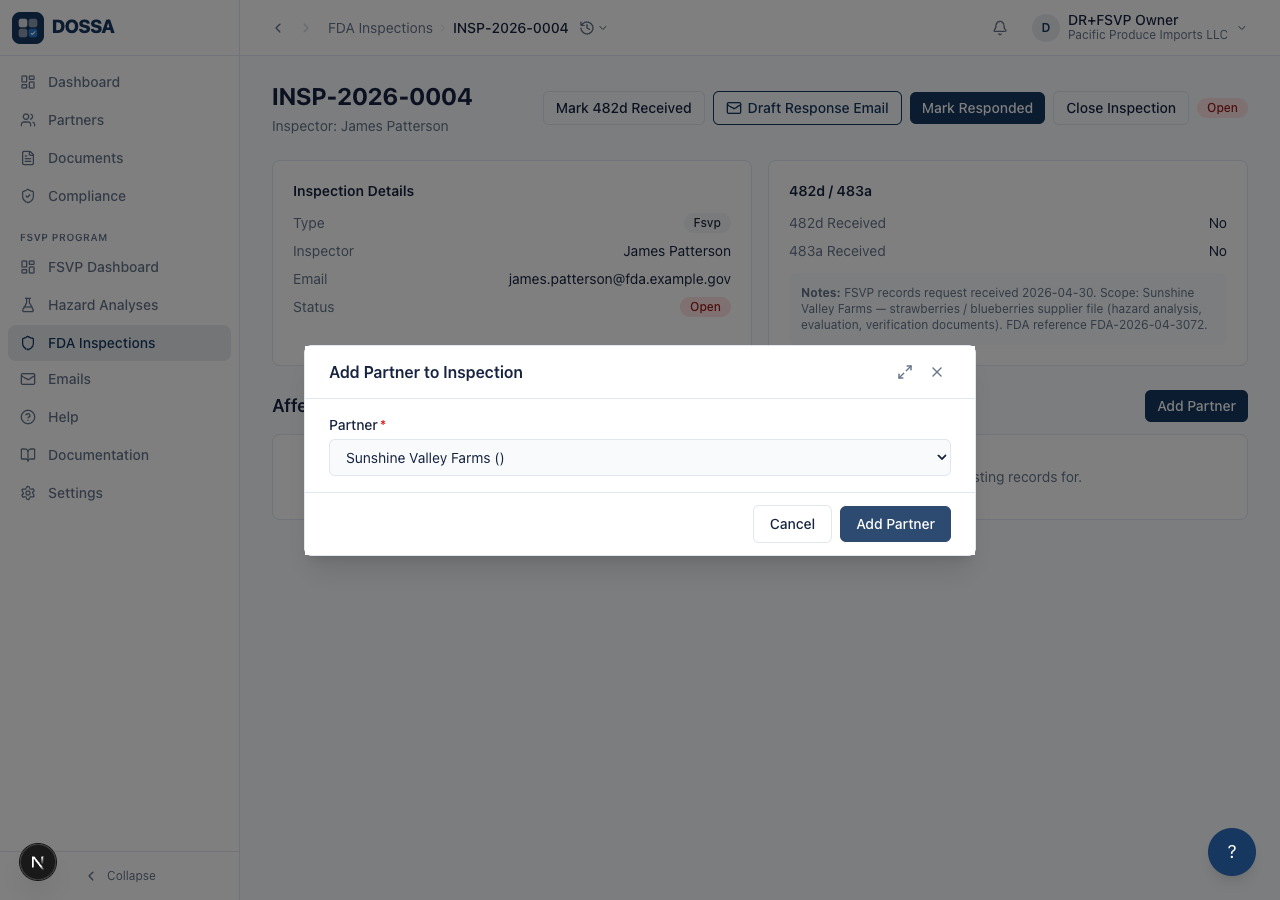
What you should see: The partner appears in the Affected Partners table with its country, and the section heading count increases. From this point, every action — package download, response draft — operates on the attached partners.
Mark the 482d records request as received
Section titled “Mark the 482d records request as received”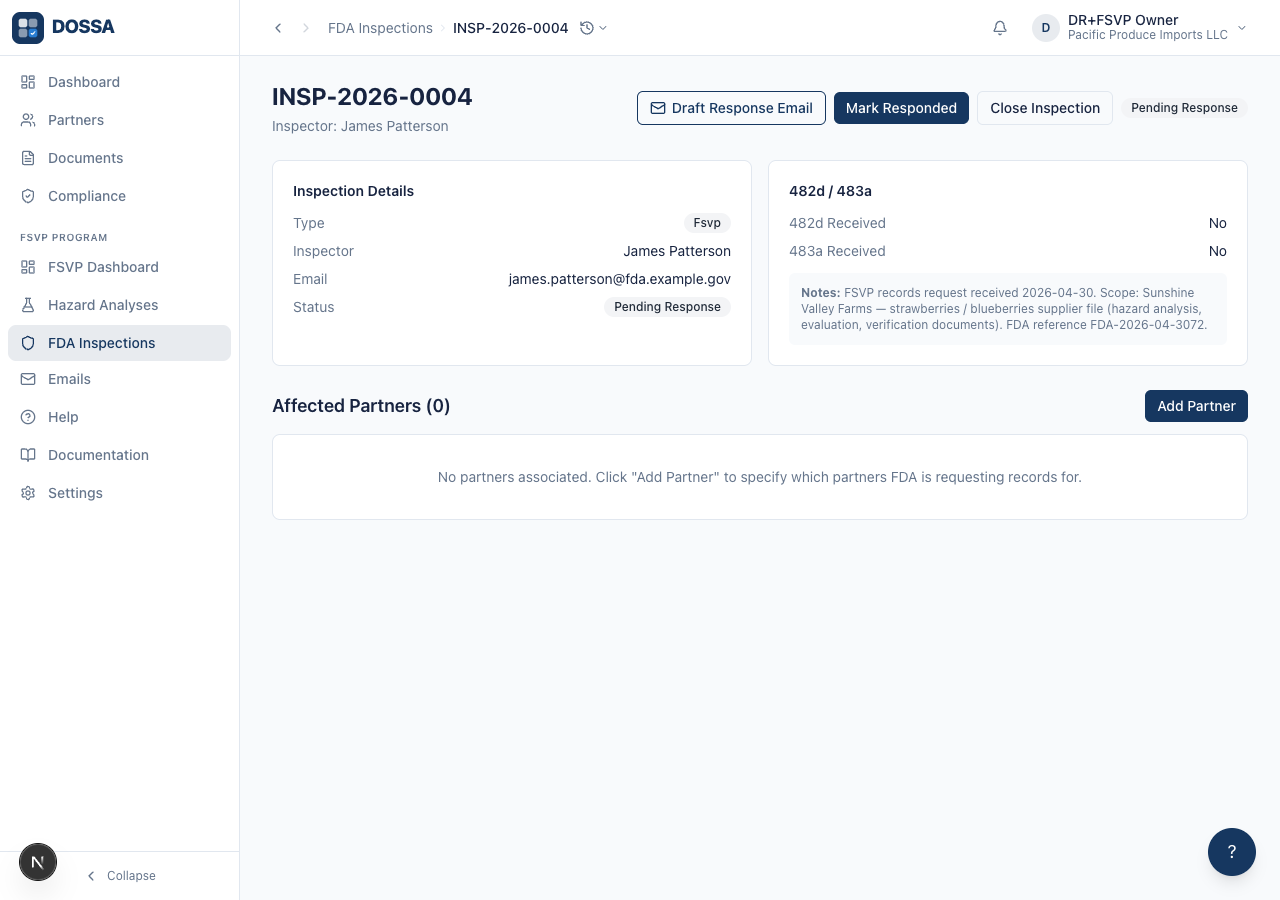
What you should see: The status badge changes to Pending Response, and the header now offers Draft Response Email and Mark Responded. A brief “Status updated” confirmation appears at the time; the badge is the lasting record.
Confirm each attached partner’s FSVP file is complete before sending records to FDA
Section titled “Confirm each attached partner’s FSVP file is complete before sending records to FDA”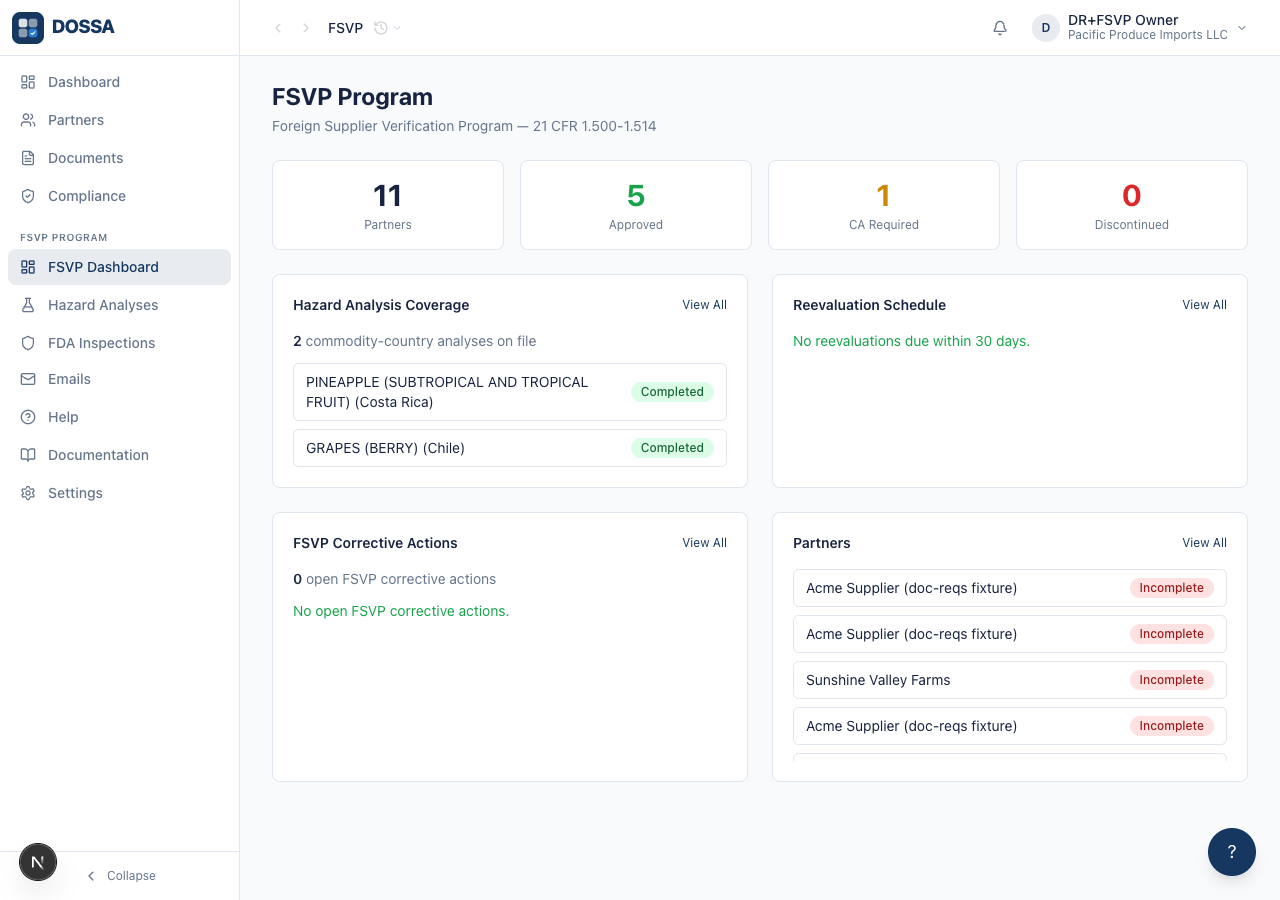
What you should see: The QI verifies (per 21 CFR 1.510) that each named partner’s FSVP file is complete before sending records to FDA. If a file is incomplete, the QI either downloads what’s available with a written explanation, or requests an extension from the inspector.
Download the response package for the attached partner
Section titled “Download the response package for the attached partner”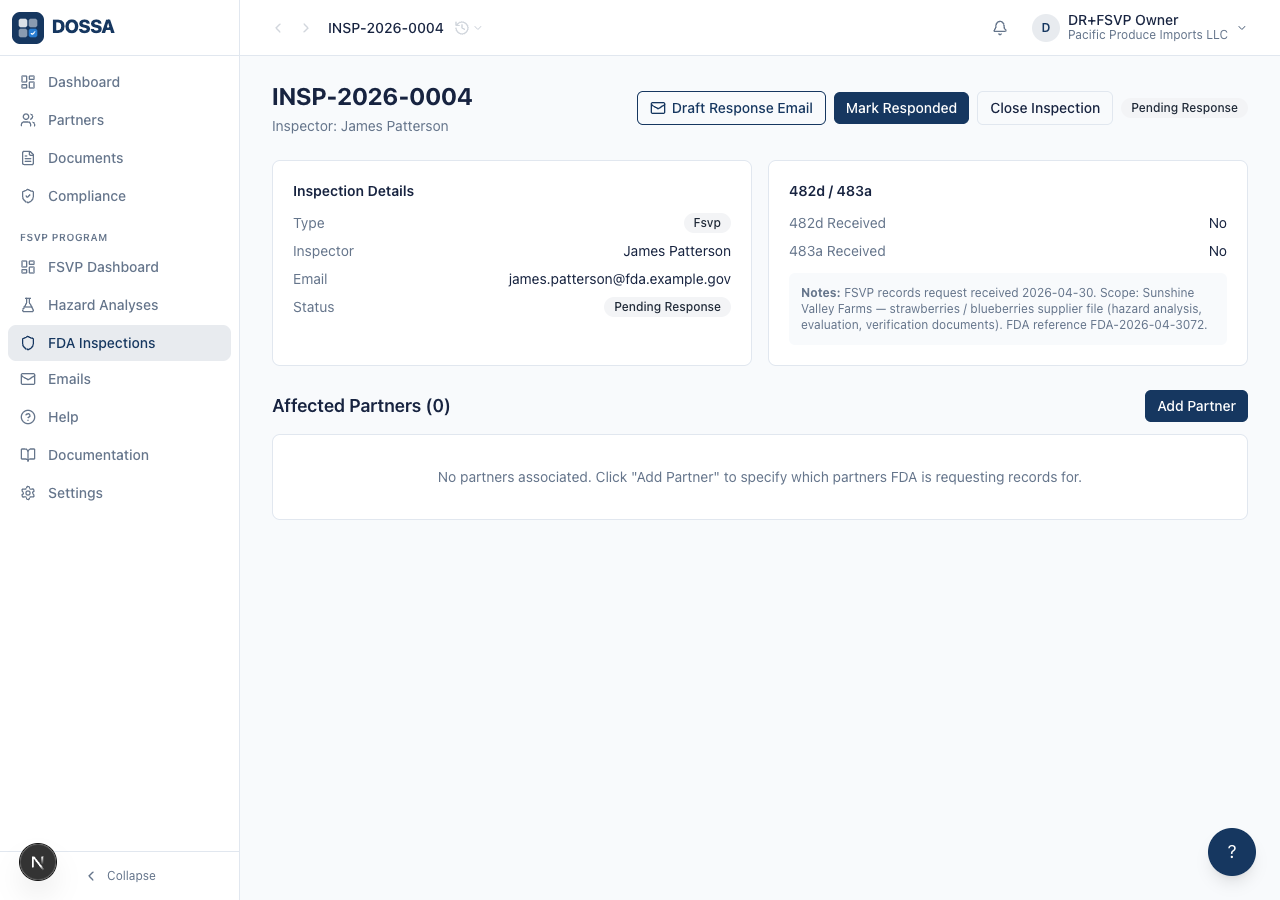
What you should see: One ZIP per partner — the hazard analysis, evaluation, and verification worksheet PDFs plus the partner’s supporting documents, ready to attach to the FDA response email or upload to FDA’s secure portal. Each report PDF carries the QI’s name, the inspection reference, and the generation date in the footer for audit-trail defensibility.
Draft the formal response email for the inspection
Section titled “Draft the formal response email for the inspection”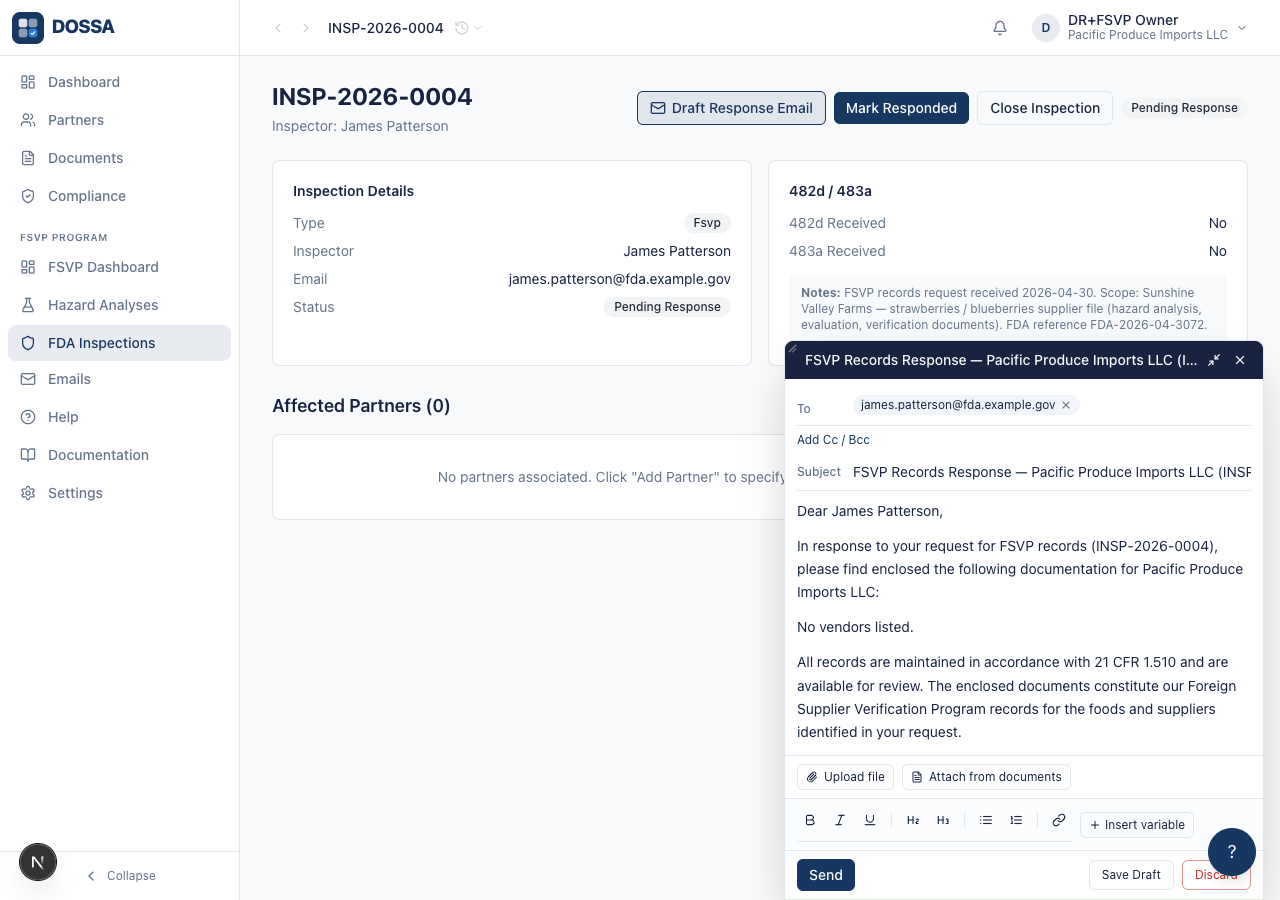
What you should see: The draft is created and waiting under Emails > Drafts. The QI opens it there, does a final read-through, attaches the downloaded package ZIP(s), and sends it — nothing leaves DOSSA until they do.
Mark the inspection as responded
Section titled “Mark the inspection as responded”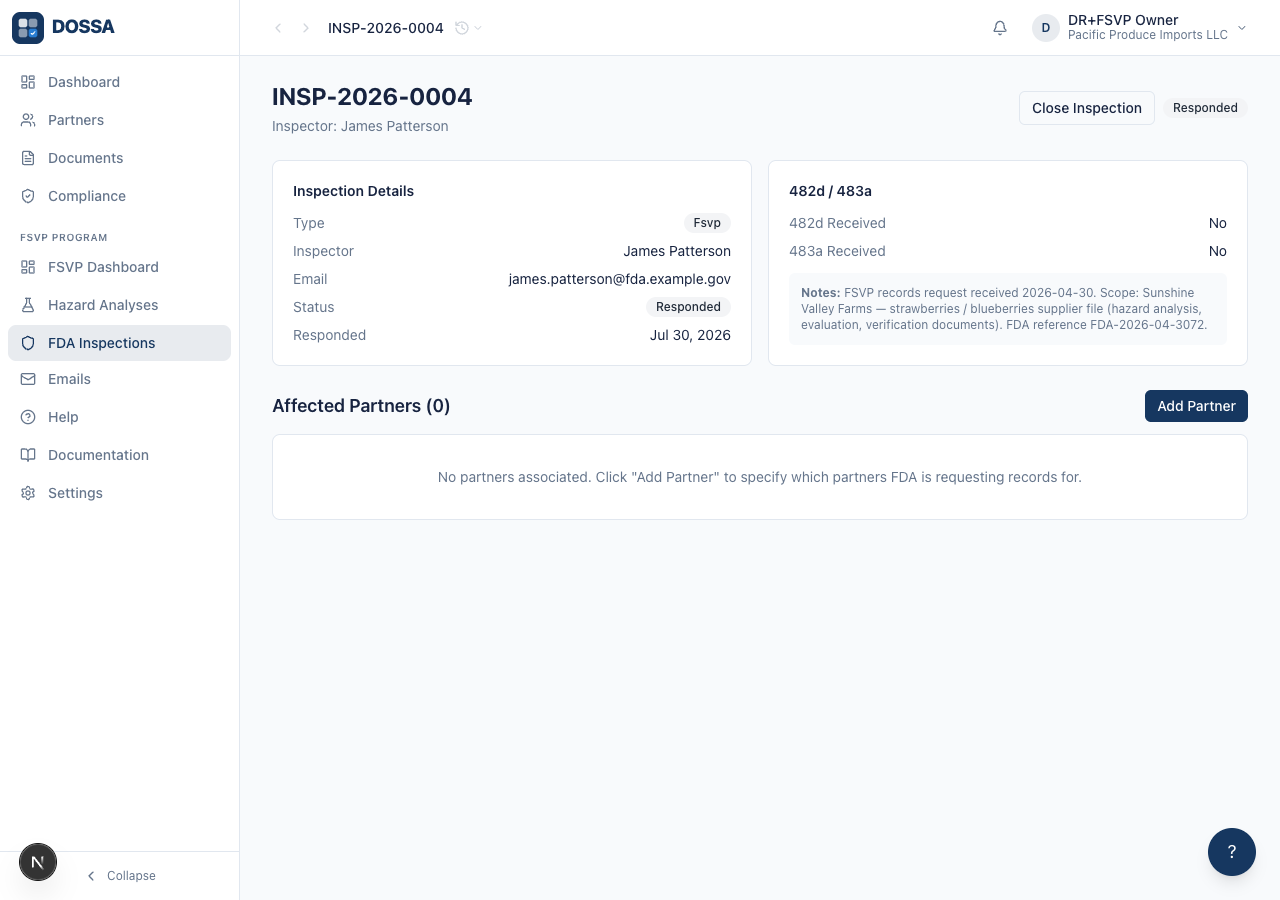
What you should see: The status badge changes to Responded and the Responded date appears in the Inspection Details card — the audit trail now ties the FDA request to the QI’s response.
Close the inspection with an outcome
Section titled “Close the inspection with an outcome”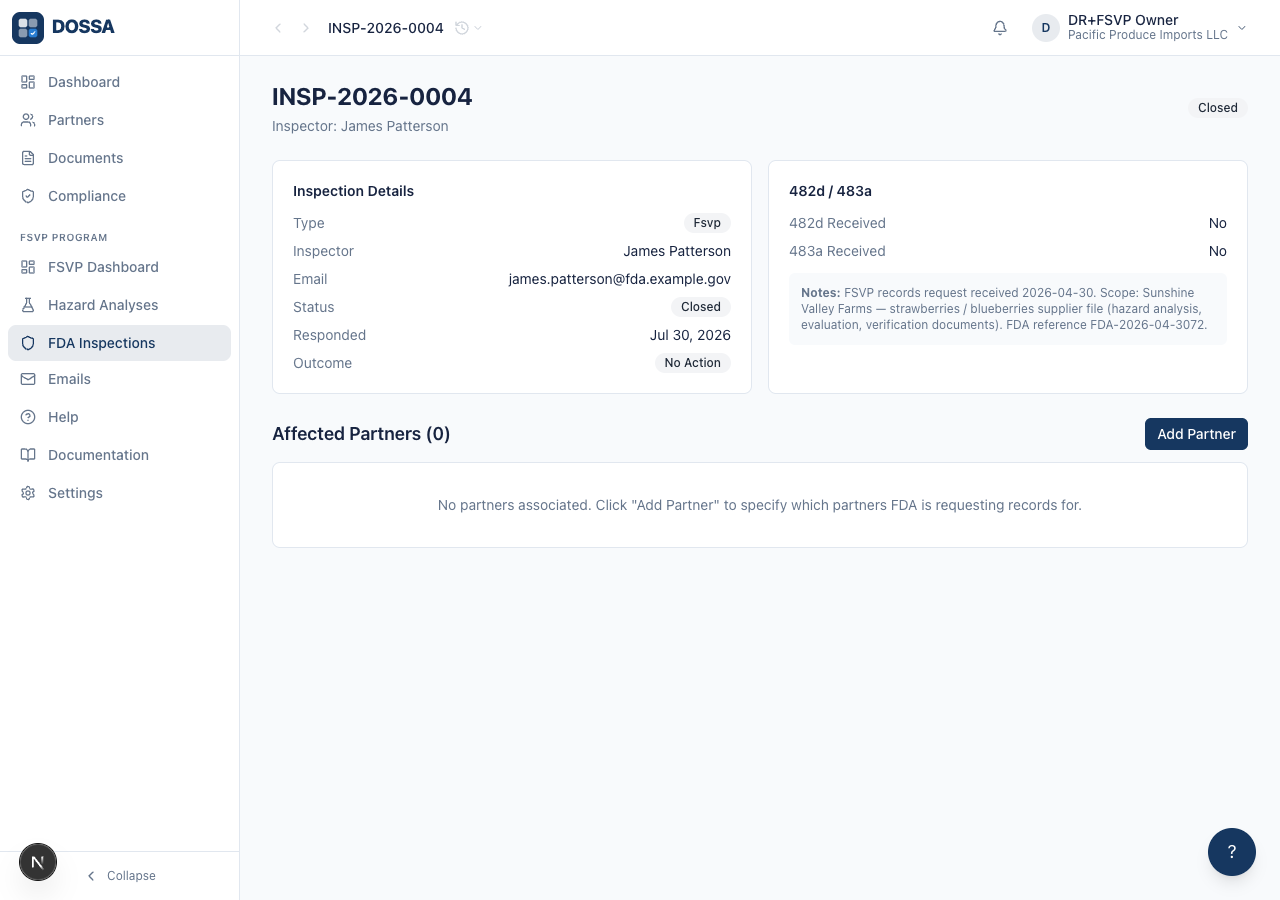
What you should see: The status badge changes to Closed and the recorded Outcome appears beside it. The inspection record — with its linked partners and package downloads — stays available indefinitely for future FDA reference.
Download a partner’s response package ad hoc from the partner FSVP tab
Section titled “Download a partner’s response package ad hoc from the partner FSVP tab”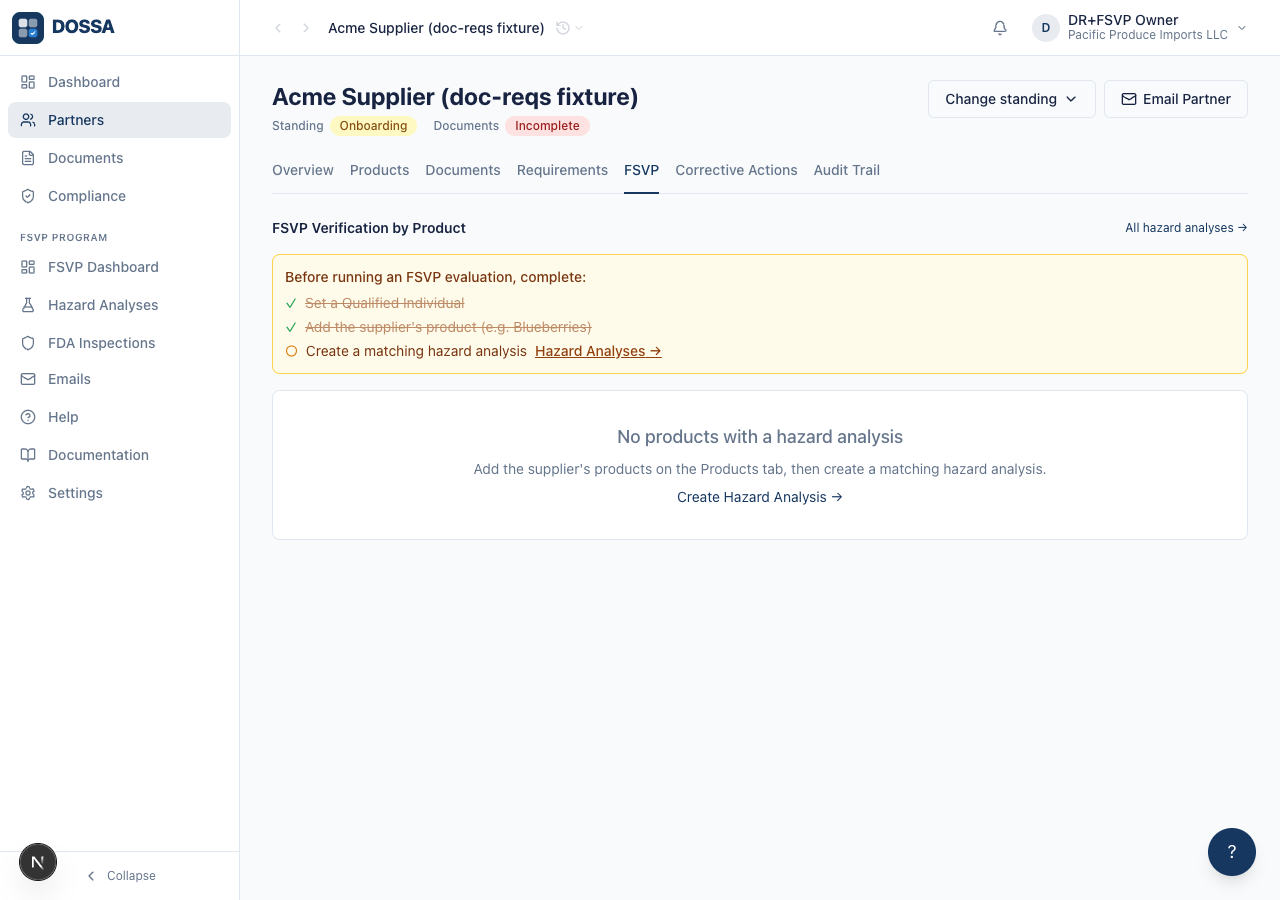
What you should see: Same ZIP as the inspection-detail flow — useful when a partner needs ad-hoc documentation outside an active inspection (e.g. internal audit, tabletop exercise, due-diligence questionnaire).