
Account Security
Any user securing their own account: registering a passkey, changing a password, and enabling two-factor authentication. All three live on Settings → Security and apply to the signed-in user rather than to the organization. Passkeys are the primary factor by design. A passkey is bound to this site and to the device’s own biometric or PIN, so it cannot be phished, reused, or read out of a breach dump — which is what makes it a better answer than “a longer password plus a code”. Passwords and TOTP remain because a passkey is tied to a device, and a person who loses the device still has to get in.
Who: Any user · Regulation: No direct regulatory citation. The compliance record this product keeps is only as trustworthy as the account that signed each verification, so access control is upstream of the audit trail an FDA inspector reads — but no FSVP clause prescribes an authentication method.
Find where account security lives
Section titled “Find where account security lives”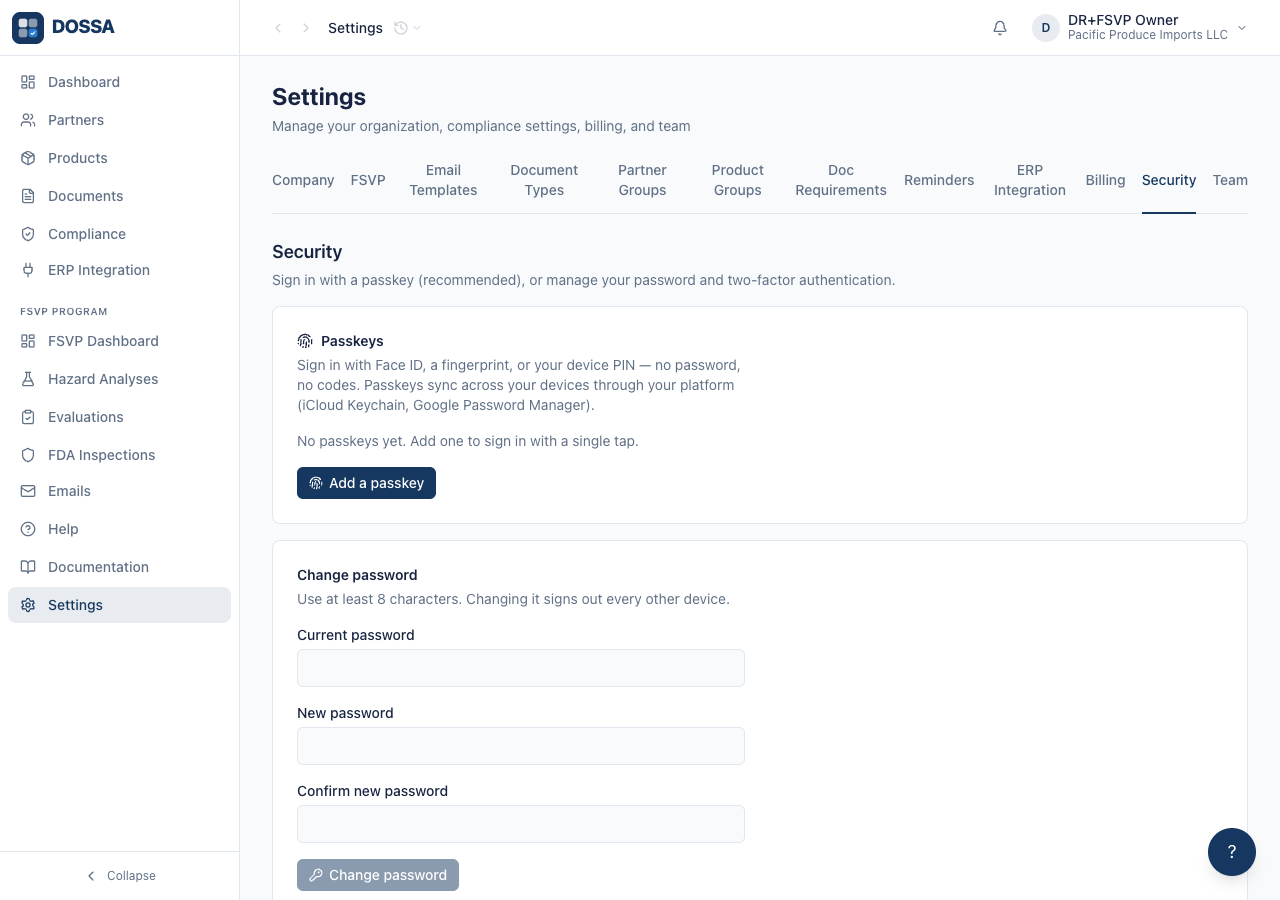
What you should see: One page for the three things a user controls about their own sign-in. Nothing here is organization-wide — team membership and roles live on the Team tab, and an owner cannot register a passkey on someone else’s behalf.
Start two-factor enrollment and see what it asks for
Section titled “Start two-factor enrollment and see what it asks for”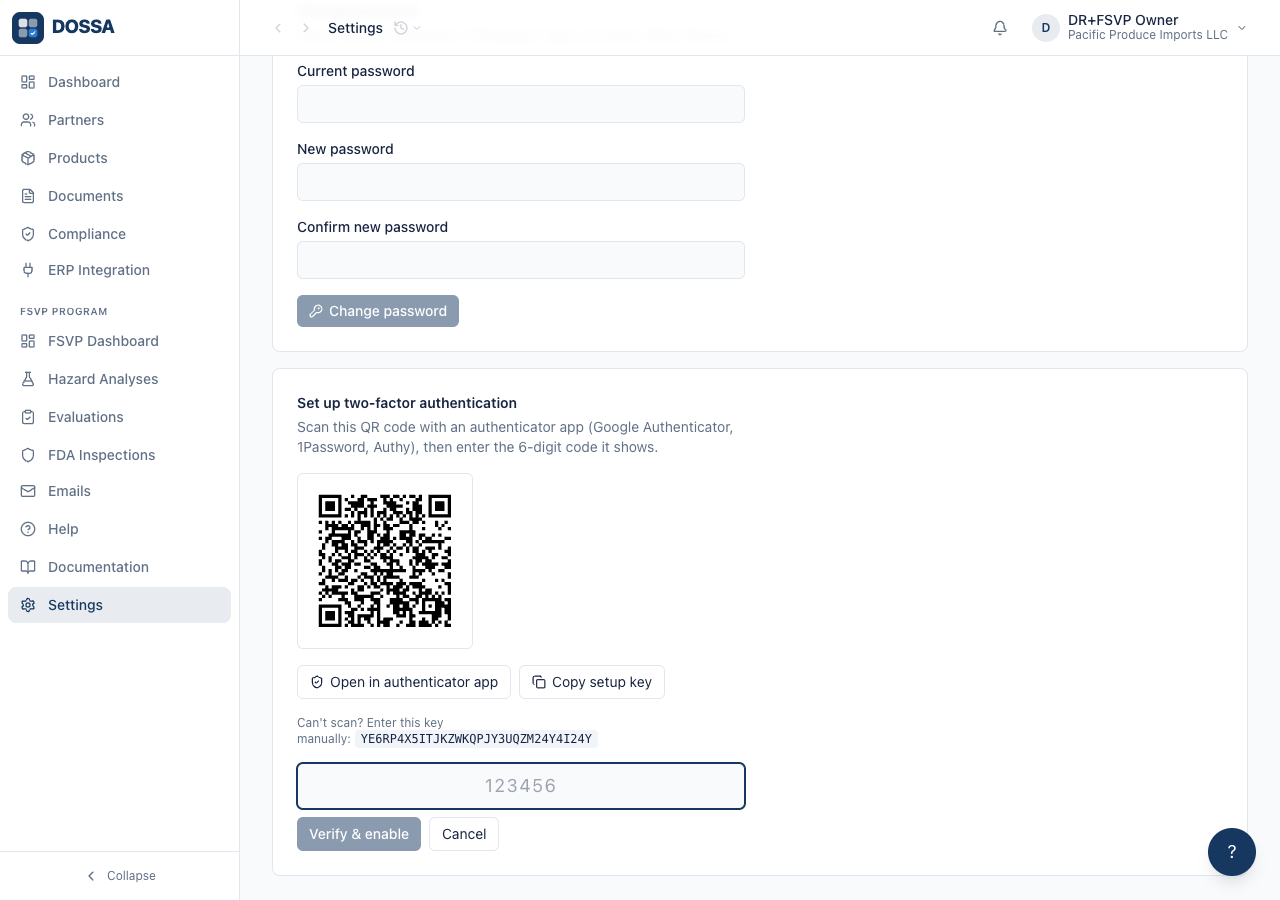
What you should see: Enrollment opens a QR code for an authenticator app (Google Authenticator, 1Password, Authy), the same secret as a setup key you can type in by hand, and a field for the 6-digit code the app generates. Two-factor stays OFF until that code is confirmed — an enrollment abandoned here leaves the account exactly as it was, rather than half-enabled and locked out. Once enabled, a code is required at every sign-in, and backup codes are issued for the day the phone is not to hand.
Find how the account password is replaced
Section titled “Find how the account password is replaced”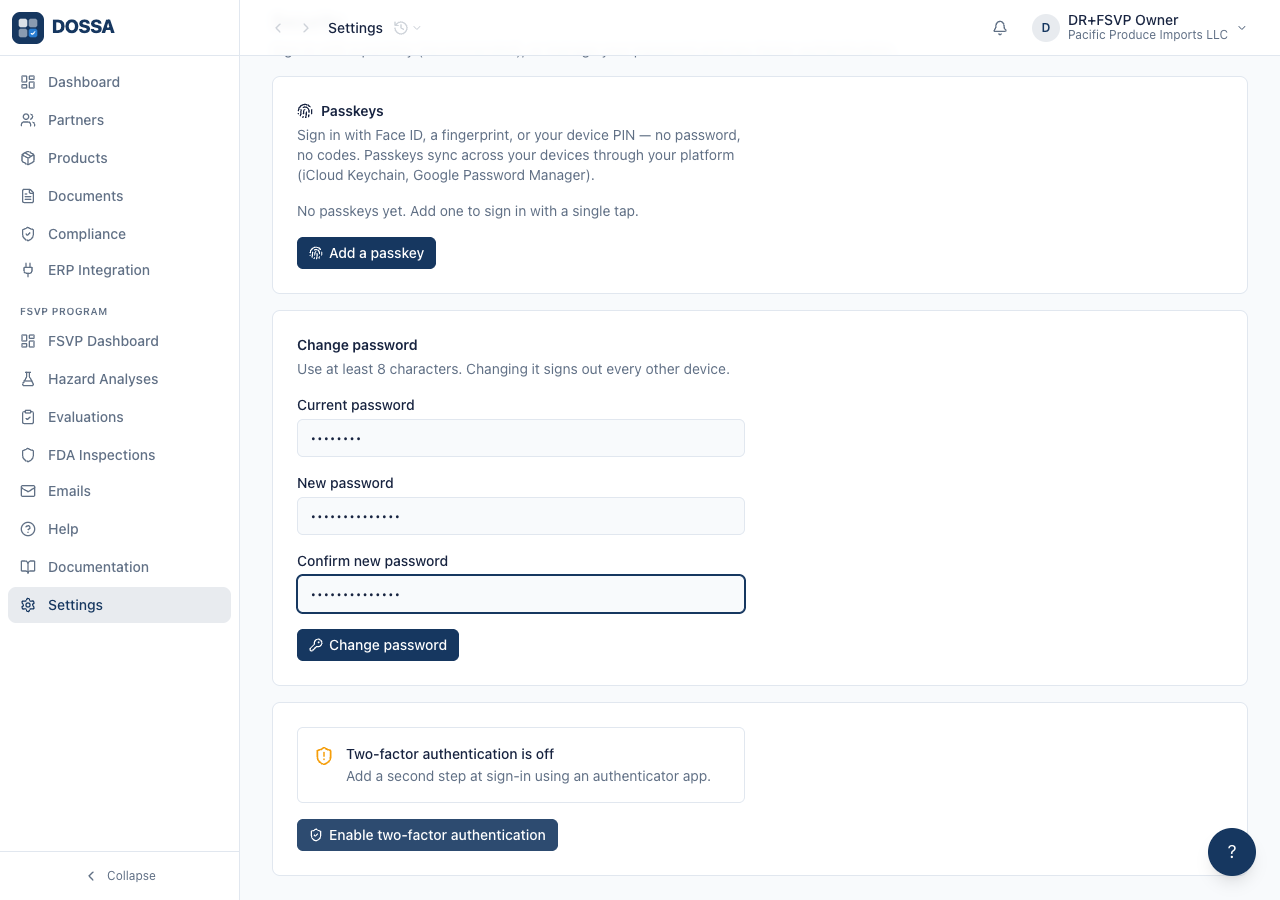
What you should see: The password is replaced and other sessions are invalidated. A user who has forgotten their password does not need this screen — “Forgot password” on the sign-in page sends a reset link, and does not require anyone to email an administrator.