
Import a Folder of Documents
Day one for a new customer. They arrive with two hundred suppliers and a Drive folder, and until the answer to that is “drop the folder, we sort it”, every other feature in the product sits behind a week of manual uploads that nobody does. Two decisions, and nothing else: which folder, and is the partner mapping right. Everything between them is a state rather than a step — the bytes upload in the background WHILE the mapping is being confirmed, which is why there is no “uploading” screen to sit through. The batch lives on the server, not in the tab. Browsers cannot hold file handles across sessions, so a wizard that kept five hundred files in the browser until the end could never survive a closed laptop. Closing this page loses nothing — the bytes and every mapping decision made so far are already on the server — and the person who resumes need not be the person who started. This flow runs NO AI. Imported documents land in the Uncategorised queue, which already has real exits — define a type from the document, or file it as Reference only.
Who: Owner / Compliance Manager, on their first day in the product · Regulation: None directly. Getting an importer’s existing records into the system is what makes 21 CFR 1.504-1.506 verification possible at all, but the import itself is a generic capability of the foundation product.
Find the import from the page where a folder of documents belongs
Section titled “Find the import from the page where a folder of documents belongs”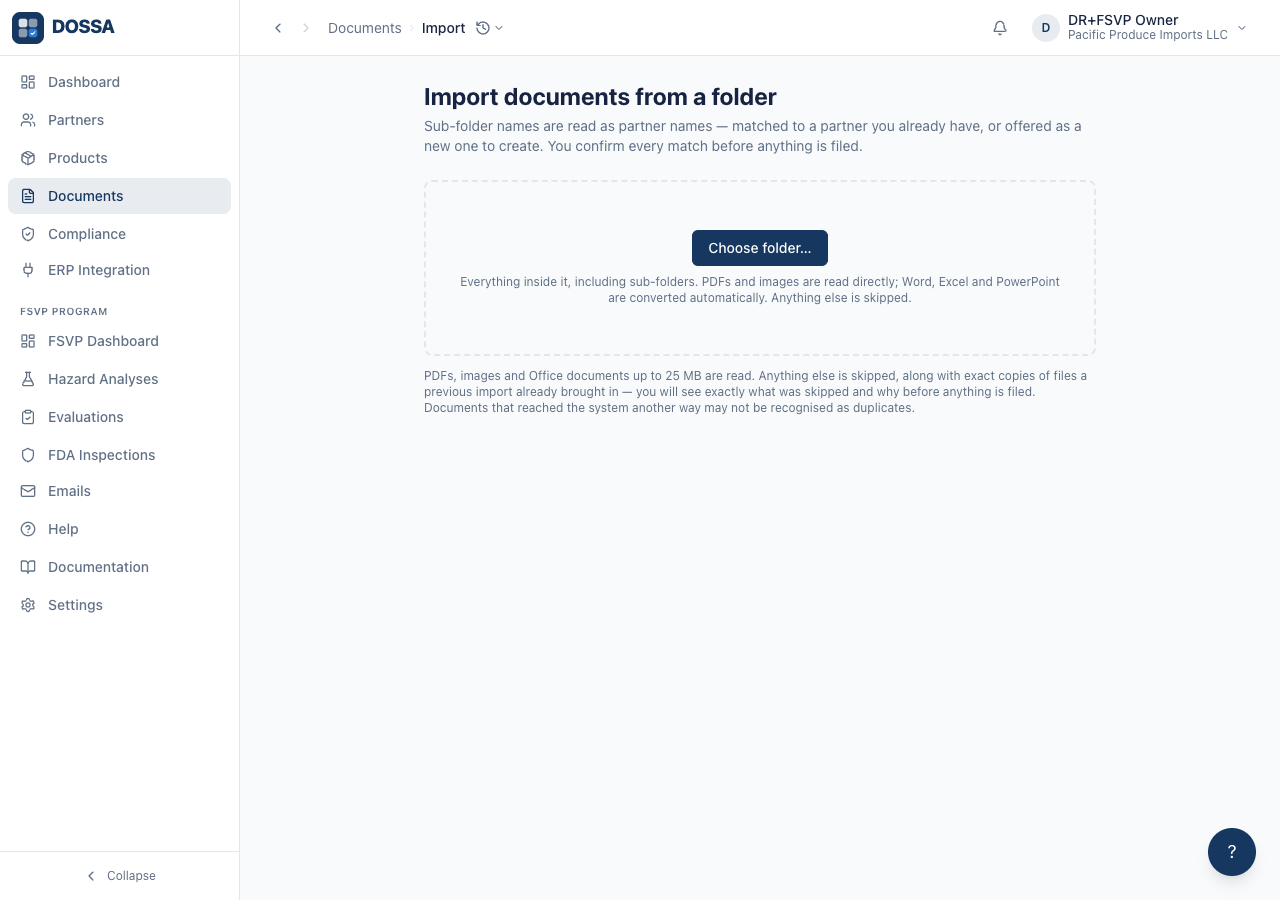
What you should see: One control, and a promise. Nothing about the number of files, no configuration, no options — those are decisions the folder itself answers, and asking a user to make them before they have seen their own data is how a setup flow becomes a thing people abandon. The browser then asks its own question — “Upload 249 files from Partners?” — which is the OS granting the PAGE access to the tree. It cannot be narrowed and nothing has left the machine when it is answered.
Import part of a folder, when the whole folder is not what you meant
Section titled “Import part of a folder, when the whole folder is not what you meant”
What you should see: A directory pick is all-or-nothing at the OS level, so the browser hands over the entire tree. This dialog is where that becomes a choice: every sub-folder listed with what it weighs, all ticked by default, and the button naming exactly what is about to happen — “Import 3 folders · 47 files”. Nothing has been uploaded at this point. The files are in the browser and the paths are known, so leaving folders out costs nothing and sends nothing. Shown ONLY when the pick contained more than one sub-folder. Choosing a single partner folder goes straight to the upload, because a choice with one option is ceremony. Files sitting loose in the picked folder — not inside any sub-folder — appear as their own row rather than being silently dropped, since nothing can infer a partner name for them.
Confirm which partner each folder belongs to — the only decision the import actually needs
Section titled “Confirm which partner each folder belongs to — the only decision the import actually needs”What you should see: The user reads a list of their own suppliers, not a list of their own file paths. The exclusions are summarised rather than itemised. Five hundred checkboxes is not a decision, it is a chore — and the four reasons a file gets skipped are all things the user would agree with on sight.